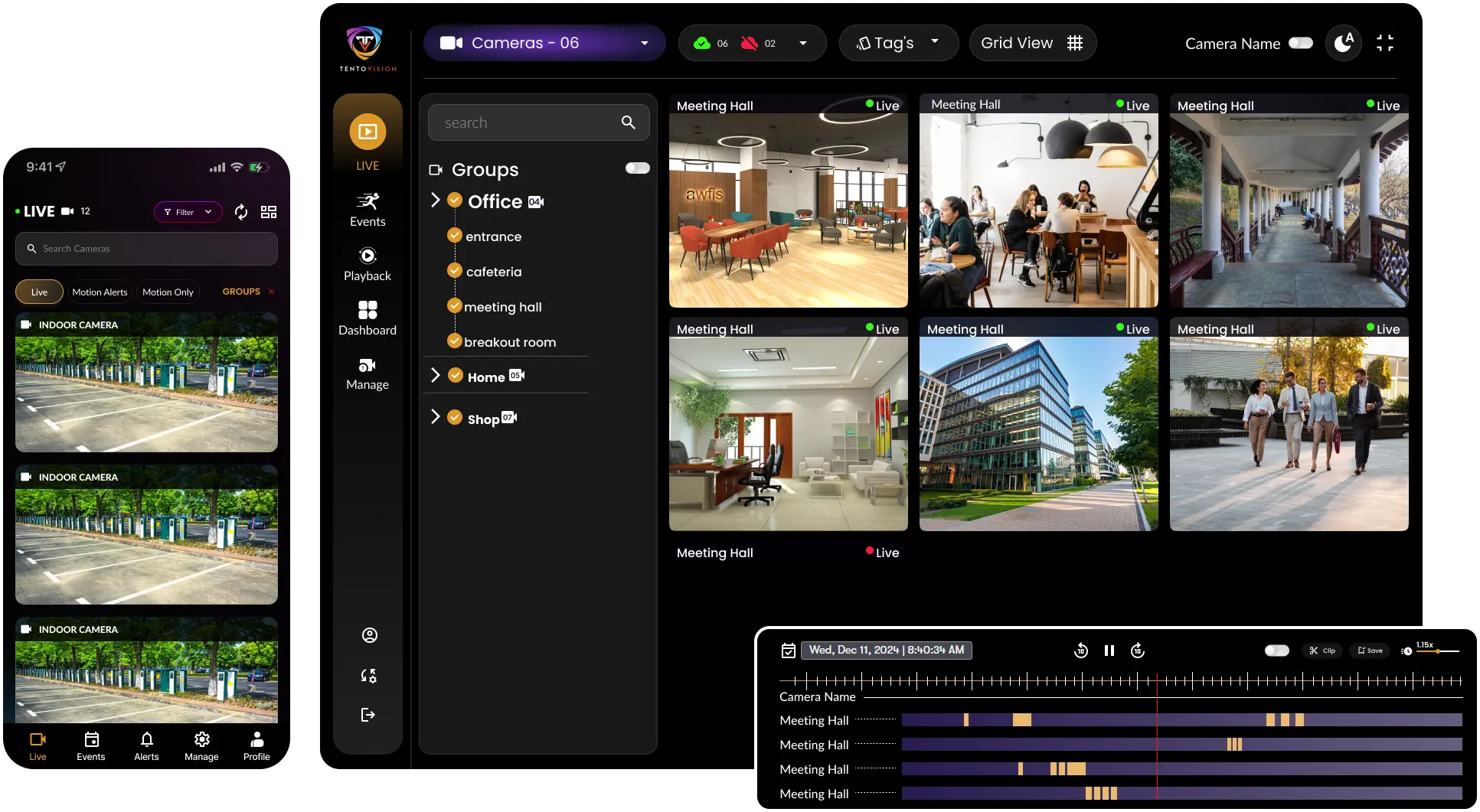
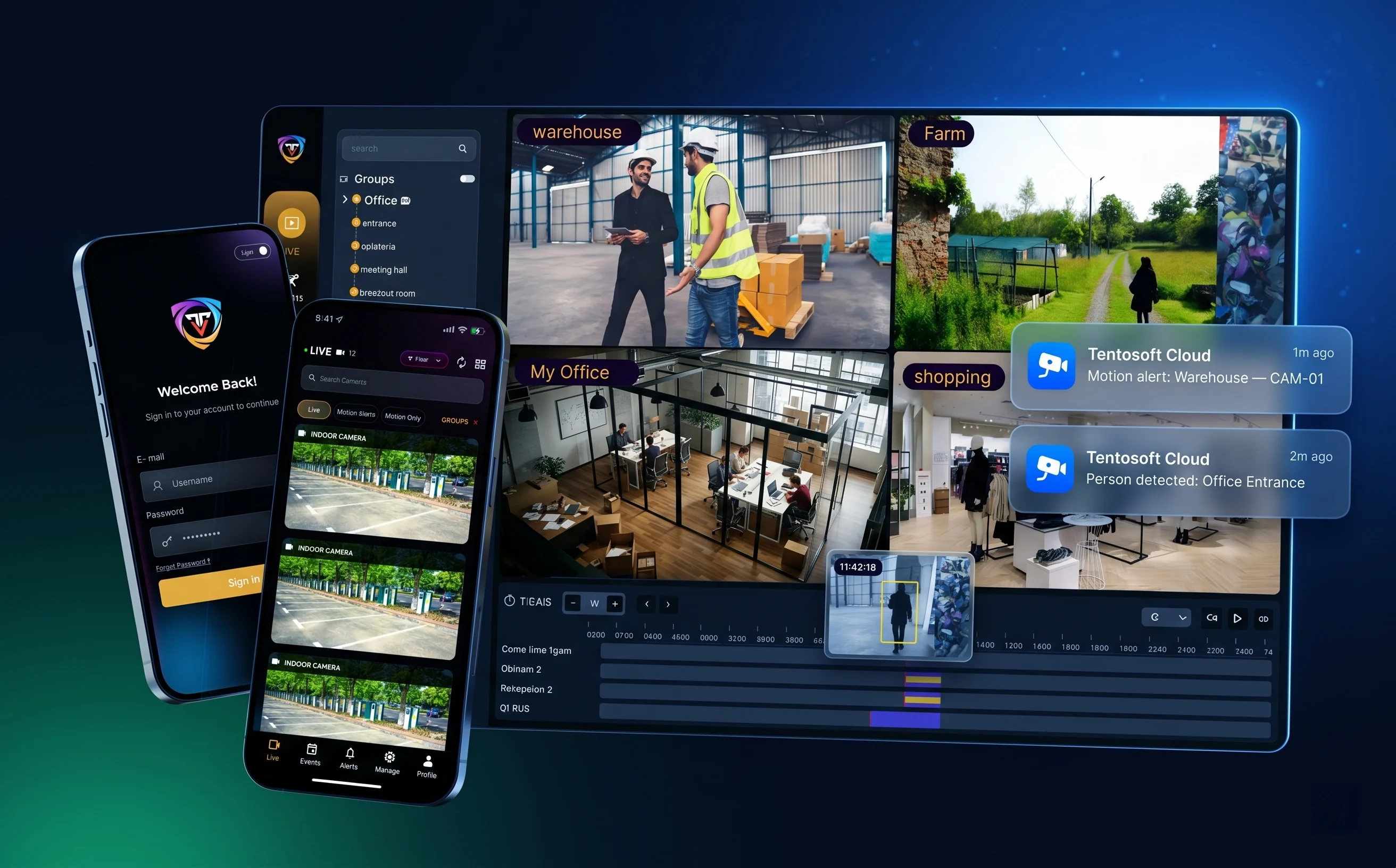
Tentovision is a cloud-based VMS and an EZStation alternative that works with your existing Uniview cameras and NVRs over RTSP and ONVIF — adding cloud recording, multi-brand support, and AI analytics without enterprise-VMS pricing. You chose Uniview for its price-performance: enterprise-quality video at mid-range cost. Tentovision brings that same value logic to the software layer — keep your IPC-B, IPC-D, and IPC-T cameras and your NVR301/302/304 recorders exactly where they are, and add the cloud, multi-site, and AI capabilities EZStation was never built to provide.
EZStation is free, and for a single-brand, single-site Uniview deployment it does its core job — live view, playback, and local device management. The reasons teams move to an alternative are about scale, brand mix, and the features a free desktop client was never designed to deliver.
EZStation is built for Uniview hardware. Add a Hikvision, Dahua, or CP Plus camera to the network and EZStation simply ignores it. In the mixed-brand environments that are increasingly common, it forces you to run several software platforms side by side.
EZStation is a Windows desktop app with no cloud recording, no native browser client, and limited scalability. For 50+ cameras across sites there's no centralised multi-site dashboard and no cross-site health monitoring — and if a Uniview NVR is lost or its disk fails, the footage goes with it.
EZView offers basic viewing over P2P or port forwarding — but no AI analytics, no camera health alerts, no role-based access for teams, and no unified multi-site view. On an enterprise camera system it's a consumer-grade viewer doing an enterprise job.
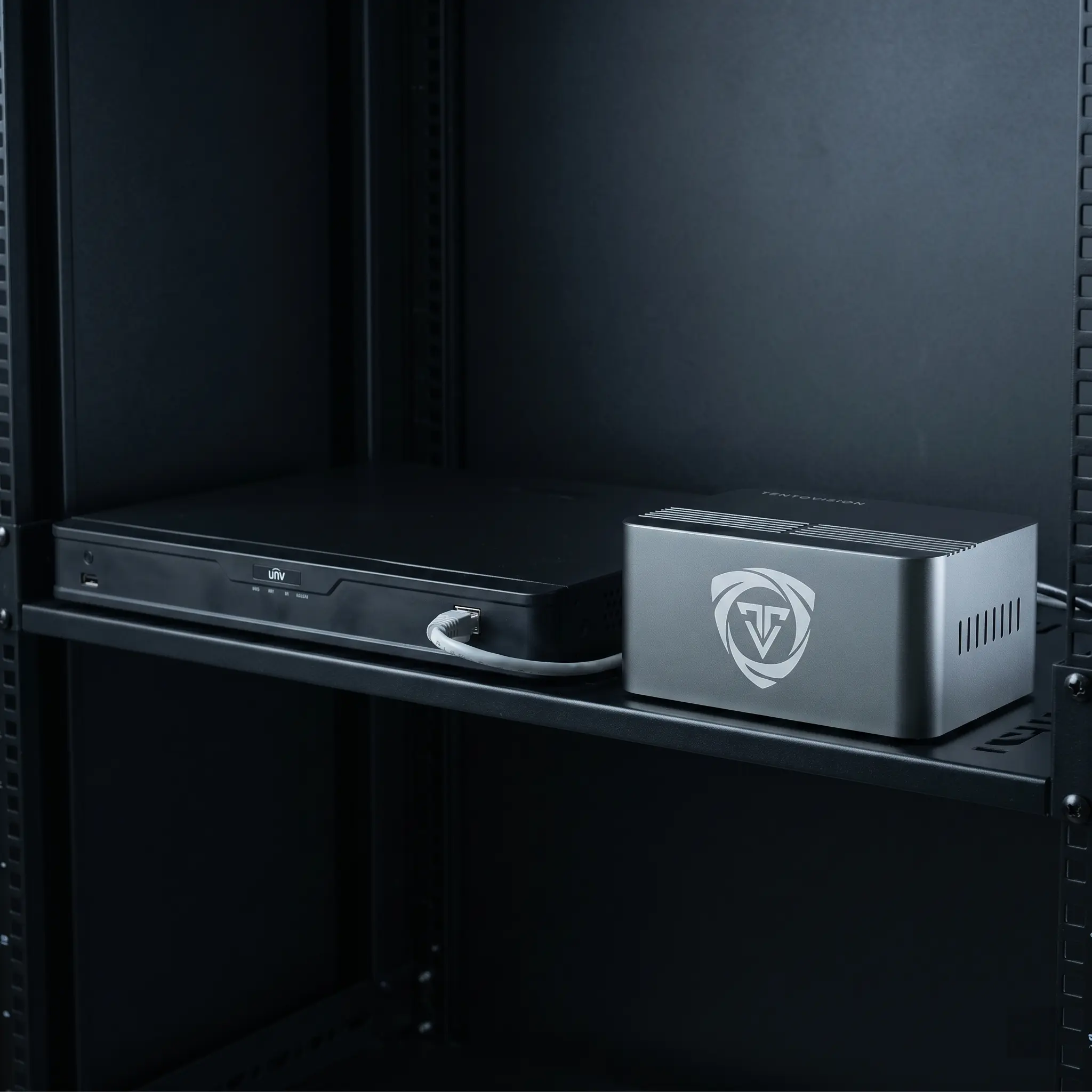
The Tentovision Cloud Adapter connects directly to your existing Uniview cameras and recorders — the IPC-B, IPC-D, and IPC-T camera ranges and the NVR301, NVR302, and NVR304 series — over the same network, with no rip-and-replace. Uniview cameras have strong ONVIF support, so auto-discovery is reliable and devices are added in minutes.
This is the angle that matters for Uniview's NVR-heavy base: keep the recorder doing its job and add a tamper-proof offsite copy. And because Tentovision records the Ultra 265 stream as the camera produces it, you keep the up-to-75% storage savings Ultra 265 gives over H.264 — the cloud copy stays as bandwidth-efficient as the local one.
Explore CCTV cloud storage →
EZView works for one user checking one site from a phone, but it scales poorly and depends on P2P or port forwarding. Tentovision is an EZView alternative built for organisations rather than individual devices.
For a value-conscious operator running Uniview across several branches, that unified, permissioned view is what turns a collection of cameras into a managed system. Mobile push alerts replace EZView's polling model, so a motion or line-crossing event on a Uniview IPC-T camera reaches the right person in seconds — with a full audit trail of who viewed what and when.
See the wider cloud VMS →
These are the three options a Uniview user actually weighs. This is an honest comparison — EZStation is free and genuinely fine for a single-brand, single-site setup, and EZCloud is a simple P2P remote-access service; the table reflects that.
| Feature | EZStation | EZCloud | Tentovision |
|---|---|---|---|
| Multi-brand (Uniview + Hikvision + Dahua) | ✗ Uniview only | ✗ Uniview only | ✓ 100+ brands |
| Enterprise cloud recording (NVR/DVR) | ✗ | ✗ device access, not VMS backup | ✓ Azure-hosted |
| On-premise recording | ✓ via Uniview NVR | ✗ | ✓ |
| Hybrid (cloud + local) | ✗ | ✗ | ✓ |
| Remote access without port forwarding | ✗ | ✓ P2P | ✓ secure outbound |
| AI analytics (ANPR, PPE, People Counting) | ✗ basic motion | ✗ | ✓ 20+ analytics |
| Camera health monitoring | ✗ | ✗ | ✓ |
| Multi-site management | Limited | Limited | ✓ unlimited |
| Ultra 265 support | ✓ Native | ✓ Native | ✓ Recorded as-is |
| Official Uniview device support | ✓ Native | ✓ Native | Via ONVIF/RTSP |
| Pricing model | Free | Free (P2P) | Subscription / perpetual |
Read honestly, the table tells you when not to switch. If you run a single Uniview-only site, record locally on an NVR301 or NVR302, and never need remote access beyond the occasional EZView check, then EZStation is free, officially supported by Uniview, and adequate. EZCloud is a fine P2P service for simple remote viewing. The case for an EZStation alternative appears the moment you add a second brand or site, need offsite backup in case an NVR is lost, want the port-forwarding exposure closed, or want AI analytics on cameras you already own. The value logic is the same one that led you to Uniview — pay for the capability you actually need, not for a premium badge.
Connecting Uniview cameras takes about five minutes. Uniview's ONVIF support is strong, so discovery is reliable; confirm the exact paths against your camera's firmware, since some series vary slightly.
Check the device manager in EZStation, or use the Uniview EZTools utility to scan the subnet. The Uniview factory default IP is 192.168.1.13 if the device has never been configured.
In the camera's web interface, go to Setup → Network → ONVIF and enable it. Most current Uniview cameras have ONVIF enabled by default; if prompted, create a dedicated ONVIF user. Uniview's strong ONVIF compliance means auto-discovery is generally reliable.
Uniview uses the media stream path on default port 554:
# Main stream
rtsp://username:password@IP:554/media/video1
# Sub stream
rtsp://username:password@IP:554/media/video2
# Alternative (some models)
rtsp://username:password@IP:554/unicast/c1/s0/live
Plug the Tentovision Cloud Adapter into the same network switch as your Uniview cameras or NVR. Power it on — a single blue LED indicates network connectivity.
Scan the QR code on the adapter with the Tentovision app to register it to your account. Pairing typically completes in under 60 seconds.
Use ONVIF auto-discovery to pull cameras in automatically, or enter the RTSP URL manually for any device you'd rather add by hand. Bulk-add supports CSV import for sites with 50+ cameras.
Confirm each live feed appears in the Tentovision dashboard, then set recording mode (continuous, motion, or hybrid) and cloud retention per camera. Uniview Ultra 265 compression is preserved during cloud recording.
IPC-B series bullets (IPC2124, IPC2128), IPC-D fixed domes (IPC3234, IPC3238), IPC-T turrets (IPC3614, IPC3618), IPC-E eyeball/mini domes, and IPC6xxx PTZ — including Smart IR and Lighthunter low-light ranges. 30+ Uniview models tested and supported.
NVR301 (4/8-channel), NVR302 (8/16-channel), NVR304 (16/32/64-channel), and NVR308 (64-channel).
/media/video1 first, then /unicast/c1/s0/live for older or specific models.Tentovision runs your existing Uniview fleet three ways, so the deployment matches the site rather than forcing the site to match the software. Uniview cameras deliver enterprise-quality video at mid-range pricing — pair them with Tentovision for the same value proposition in your VMS, rather than paying premium licensing on top of value hardware.
Subscription, with no recorder required. The Cloud Adapter pulls your Uniview camera streams straight to Microsoft Azure, with nothing on site to maintain beyond the adapter.
One-time cost, running without internet. Video never leaves the building, and your existing NVR302 or NVR304 keeps recording locally as the system of record while the edge device handles management and analytics.
Keep the Uniview NVR for instant local playback and add cloud backup through Tentovision for offsite resilience — the most common choice, and the natural fit for a multi-site value deployment.
Mix modes across your estate and manage them together with full multi-site CCTV monitoring.
Your Uniview IPC-B and IPC-T cameras — including the Smart IR and Lighthunter series — produce the image quality that AI analytics need, and Tentovision applies modern analytics to the streams they already produce. No specialist cameras, no hardware swap. A fixed IPC-T turret at an entrance is enough for people counting; an IPC6xxx PTZ covering a gate feeds ANPR and intrusion detection. Uniview's Lighthunter low-light cameras are especially strong here: because they hold detail in near-darkness, face recognition and ANPR accuracy stay high even in challenging lighting. Processing runs in the cloud for cloud and hybrid deployments, or on the edge device where footage must stay on site.
Read and log vehicle plates at gates, car parks, and loading bays — with watchlist matching.
VehicleFlag missing helmets, vests, gloves, masks, goggles, or safety boots on industrial sites.
SafetyAutomated footfall and occupancy counting across retail, transit, and facility entrances.
RetailWatchlist matching, access verification, and VIP / repeat-visitor identification.
IdentityEarly visual detection of fire and smoke before conventional sensors trigger — including outdoor scenarios.
SafetyBehavioural anomaly alerts at high-risk retail zones — concealment, sweeping, abnormal dwell.
RetailReal-time crowd density heatmaps with safe / critical thresholds for stadiums, transit hubs, events.
CrowdPerimeter breach alerts for restricted zones, server rooms, off-hour office areas, R&D labs.
SecurityConfigurable virtual tripwires with direction logic — entry, exit, or both — across any camera view.
SecurityAlerts when a person remains in a defined zone beyond a configurable time threshold — ATMs, lobbies, restricted areas.
SecurityDetects abandoned bags, parcels, or items in public areas — airports, transit hubs, secure zones.
SecurityDetects removal of monitored items — products, equipment, displays — with timestamped clip evidence.
RetailDistinguish cars, trucks, motorcycles, bicycles, buses, and pedestrians in traffic and parking feeds.
VehicleRead and log vehicle plates at gates, car parks, and loading bays — with watchlist matching.
VehicleFlag missing helmets, vests, gloves, masks, goggles, or safety boots on industrial sites.
SafetyAutomated footfall and occupancy counting across retail, transit, and facility entrances.
RetailWatchlist matching, access verification, and VIP / repeat-visitor identification.
IdentityEarly visual detection of fire and smoke before conventional sensors trigger — including outdoor scenarios.
SafetyBehavioural anomaly alerts at high-risk retail zones — concealment, sweeping, abnormal dwell.
RetailReal-time crowd density heatmaps with safe / critical thresholds for stadiums, transit hubs, events.
CrowdPerimeter breach alerts for restricted zones, server rooms, off-hour office areas, R&D labs.
SecurityConfigurable virtual tripwires with direction logic — entry, exit, or both — across any camera view.
SecurityAlerts when a person remains in a defined zone beyond a configurable time threshold — ATMs, lobbies, restricted areas.
SecurityDetects abandoned bags, parcels, or items in public areas — airports, transit hubs, secure zones.
SecurityDetects removal of monitored items — products, equipment, displays — with timestamped clip evidence.
RetailDistinguish cars, trucks, motorcycles, bicycles, buses, and pedestrians in traffic and parking feeds.
VehicleEstimate vehicle speed across camera-defined zones — useful for parking lots, industrial yards, campus roads.
VehicleDetect helmetless riders entering campus, factory, or warehouse premises — critical for India compliance.
SafetyAlert when vehicles or people move against the designated flow direction — one-ways, ramps, exits.
TrafficTrack queue lengths at counters, checkouts, and entrances — open more lanes before customers walk away.
RetailVisualise where people linger across a floor plan — optimise retail layouts, signage, and staff coverage.
AnalyticsEstimated age range and gender distribution from anonymised CCTV feeds — for retail planning and footfall insight.
RetailDetect smoking in restricted zones — factory floors, warehouses, hospitals, fuel stations.
SafetyFlag mobile phone use in restricted areas — production lines, driver cabs, secure zones, exam halls.
ComplianceDetect persons fallen on the ground and unmoving — alerting staff in healthcare, eldercare, warehouses.
SafetyMonitor inter-person distancing in queues and shared zones — flexible for health-safety policies.
SafetyAlerts when a camera is blocked, blurred, sprayed, or repositioned — guards against deliberate evasion.
SecurityVehicle counts, lane occupancy, congestion patterns, and average speed across road segments.
TrafficEstimate vehicle speed across camera-defined zones — useful for parking lots, industrial yards, campus roads.
VehicleDetect helmetless riders entering campus, factory, or warehouse premises — critical for India compliance.
SafetyAlert when vehicles or people move against the designated flow direction — one-ways, ramps, exits.
TrafficTrack queue lengths at counters, checkouts, and entrances — open more lanes before customers walk away.
RetailVisualise where people linger across a floor plan — optimise retail layouts, signage, and staff coverage.
AnalyticsEstimated age range and gender distribution from anonymised CCTV feeds — for retail planning and footfall insight.
RetailDetect smoking in restricted zones — factory floors, warehouses, hospitals, fuel stations.
SafetyFlag mobile phone use in restricted areas — production lines, driver cabs, secure zones, exam halls.
ComplianceDetect persons fallen on the ground and unmoving — alerting staff in healthcare, eldercare, warehouses.
SafetyMonitor inter-person distancing in queues and shared zones — flexible for health-safety policies.
SafetyAlerts when a camera is blocked, blurred, sprayed, or repositioned — guards against deliberate evasion.
SecurityVehicle counts, lane occupancy, congestion patterns, and average speed across road segments.
TrafficAll 20+ analytics work on the Uniview cameras you already own — no camera replacement required. Cloud-processed for cloud and hybrid deployments, edge-processed for on-premise sites. Analytics that EZStation cannot provide at all run here on the same IPC-B and IPC-T feeds you are already recording.
rtsp://username:password@IP:554/media/video1 and the sub stream is /media/video2, both on default port 554; some models use /unicast/c1/s0/live instead. This Uniview path differs from Hikvision's /Streaming/Channels/ and Dahua's /cam/realmonitor, so use the Uniview format for your Uniview devices.Replace EZStation with Tentovision — cloud recording, 20+ AI analytics, and camera health monitoring for the Uniview cameras you already own, with EZView's port-forwarding exposure replaced by secure browser and mobile access. Keep your IPC-B, IPC-D, and IPC-T cameras and your NVR301/302/304 recorders, and manage every site and brand from one dashboard — the same price-performance logic that led you to Uniview, applied to your VMS. Free for 14 days.
Uniview IPC-B/D/T/E cameras, IPC6xxx PTZ, NVR301-308, Lighthunter, Smart IR, Ultra 265 — plus 100+ ONVIF brands.
Plug in the Cloud Adapter, scan the QR, add cameras via RTSP or ONVIF auto-discovery.
SOC 2 and ISO 27001 aligned data handling. DPDP Act 2023 compliant. Your video stays private.
All onboarding, deployment, and support handled by our India team — in your time zone.
Fill the form — our team responds within 1 business day.