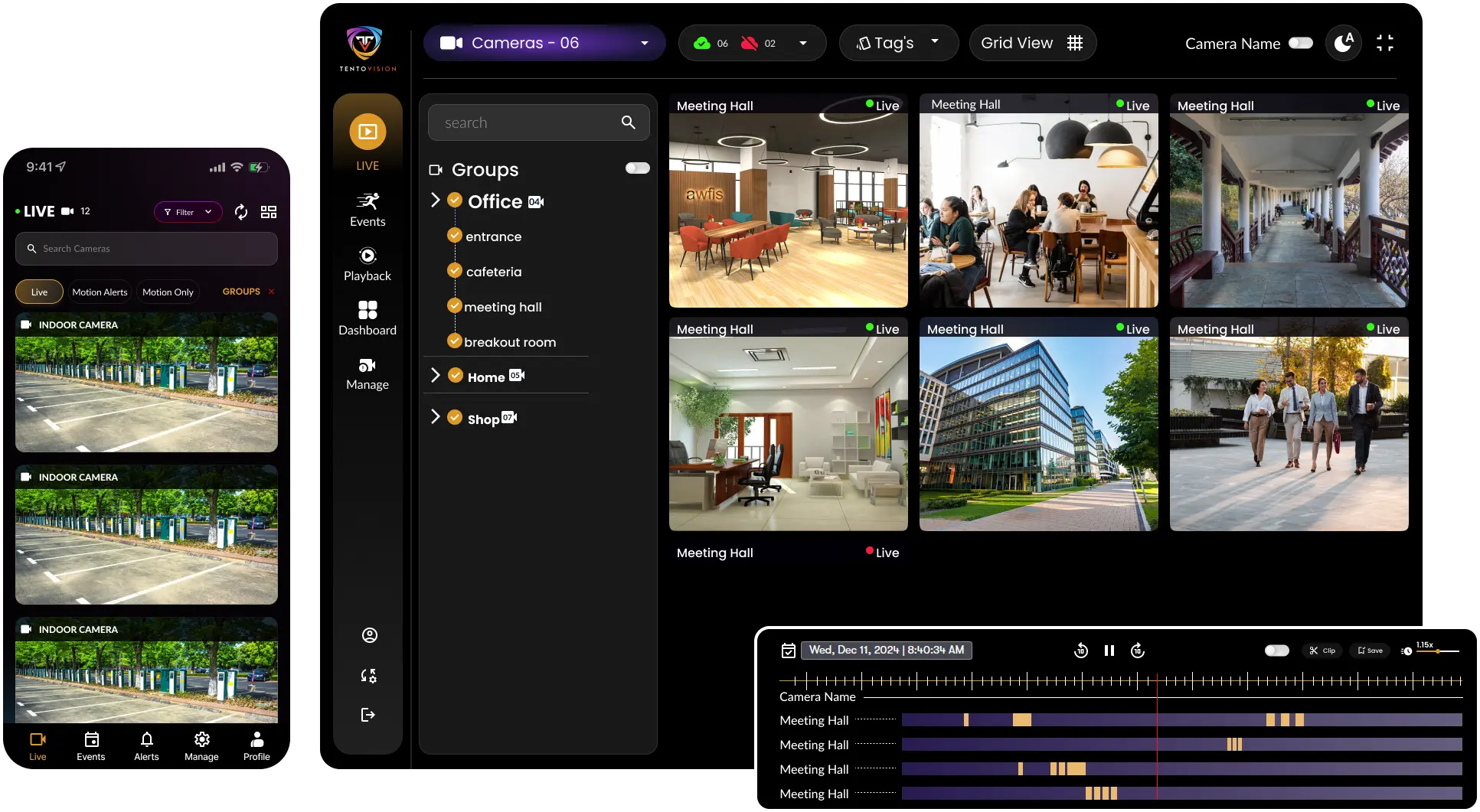
iVMS-4200 is the default software for Hikvision cameras — and for a basic, single-site, Hikvision-only setup, it works fine. But the moment you need cloud recording, multi-brand support, AI analytics, or centralized multi-site management, iVMS hits a wall. This is a straight, honest look at where each one fits, and the case for Tentovision as an iVMS-4200 alternative.
Here's the call for impatient readers. The rest of the page is the evidence — read it to validate the decision before you commit.
iVMS-4200 is the free desktop video management software made by Hikvision. It is designed to manage Hikvision cameras, NVRs, DVRs and access-control devices from a single Windows machine, and it has done that job for well over a decade. It is a mature, stable product, and millions of installers and end users rely on it every day.
Out of the box, iVMS-4200 gives you live view, recording playback, device management and basic event handling, with the Hik-Connect mobile app handling remote viewing. It is available on Windows only — there is no Mac, Linux or web-browser client. For a single Hikvision-only site where someone sits at a dedicated PC, that is often all you need, and it costs nothing because it ships with the hardware.
We are not here to dismiss iVMS-4200; for its intended purpose it is a genuinely solid tool. The question this page answers is what happens when your requirements grow past that purpose.
None of these are bugs — they are the boundaries of what desktop, Hikvision-only software was built to do. They only start to bite once your deployment outgrows a single site or a single brand.
iVMS-4200 only sees Hikvision devices. Add a CP Plus, Dahua, Axis or Uniview camera and it simply won't appear. In post-BIS India, enterprises are increasingly forced into multi-brand estates — and iVMS becomes just one of two or three platforms your team has to run side by side.
All footage lives on the local NVR or PC. If that recorder is stolen, flooded, burned or its drive fails, the footage is gone permanently — usually at the exact moment you need it as evidence. There's no off-site copy and no cloud redundancy.
No web browser, no Mac, no Linux. To monitor cameras your team has to sit at a specific Windows PC. In 2026, for mobile-first and remote-work operations, being tied to one machine is a real operational constraint.
Remote viewing through Hik-Connect relies on P2P or port forwarding. Opening inbound ports widens your attack surface, which is why many enterprise IT and security teams ban the practice outright — leaving staff with no compliant way to view cameras off-site.
iVMS-4200 offers basic motion detection and nothing more — no ANPR, PPE detection, people counting, face recognition, fire detection or shoplifting detection. To add analytics on your Hikvision cameras, you have to buy and run separate third-party software alongside it.
iVMS-4200 won't proactively warn you when a camera drops offline, an NVR fills its storage, or a lens is tampered with. You find out when someone manually checks — by which point hours or days of footage may already be missing.
It can technically reach remote sites, but the setup is complex (port forwarding per location), bandwidth-heavy, and gives you no unified multi-site dashboard. Operations teams managing several buildings end up jumping between windows instead of watching one board.
Tentovision is an AI-powered, multi-brand Video Management System built by Tentosoft Solutions Private Limited in Chennai, India. It runs in the cloud (on Microsoft Azure with AES-256 encryption), on-premise, or in a hybrid model — and connects to your existing cameras over ONVIF and RTSP, including Hikvision, Dahua, CP Plus, Axis, Uniview, and 100+ other brands.
It is not a replacement for the camera — it is a replacement for the desktop client. You keep your Hikvision DS-2CD / DS-2DE / DS-7000 / DS-8000 hardware exactly as it is, and swap out iVMS-4200 for Tentovision software, gaining cloud recording, 20+ AI analytics modules (ANPR, PPE detection, people counting, face recognition, fire detection, shoplifting prevention), camera health monitoring, browser and mobile access without port forwarding, granular role-based permissions, and unified multi-site management.
The migration takes under five minutes via the Tentovision Cloud Adapter, and you can run both side by side during the 30-day free trial.
The comparison buyers screenshot and send to their boss. Green means the capability is present, red means it isn't, neutral means partial or conditional.
| Feature | iVMS-4200Hikvision desktop | TentovisionCloud / hybrid VMS |
|---|---|---|
| Price | ✓FreeBundled with Hikvision hardware | Subscription or perpetual30-day free trial included |
| Camera brand support | ✕Hikvision only | ✓100+ brandsHikvision, Dahua, CP Plus, Axis, Uniview & any ONVIF/RTSP |
| Cloud recording | ✕Not available | ✓YesMicrosoft Azure · AES-256 encrypted |
| On-premise recording | ✓YesVia Hikvision NVR | ✓YesVia edge device or any NVR |
| Hybrid (cloud + local) | ✕No | ✓Yes |
| Web browser access | ✕Desktop onlyWindows client required | ✓Any browserChrome, Safari, Firefox, Edge |
| Mobile app | Hik-ConnectNeeds port forwarding / P2P | ✓iOS + AndroidNo port forwarding |
| AI video analytics | ✕Basic motion only | ✓20+ modulesANPR, PPE, people counting, face, fire, shoplifting & more |
| Camera health monitoring | ✕None | ✓YesCamera, NVR & HDD health + SLA tracking |
| Multi-site management | LimitedComplex per-site setup | ✓Unlimited sitesOne unified dashboard |
| User roles & permissions | Basic | ✓GranularAdmin, Manager, Viewer, Custom |
| Smart playback search | Basic timeline | ✓Smart searchDate/time, event, camera, object & motion search |
| Maximum cameras | Depends on PC specs | ✓UnlimitedRecording scales cloud-side |
| Port forwarding required | ✕YesFor Hik-Connect remote view | ✓NoSecure outbound HTTPS 443 |
| Deployment options | Windows desktop only | ✓Cloud / on-prem / hybrid |
Being straight about this is what makes the rest of the page trustworthy. iVMS-4200 genuinely wins in these cases:
If this describes your situation, iVMS-4200 is a perfectly fine choice. Don't fix what isn't broken.
Tentovision earns its cost the moment any one of these is true:
If any of these apply, you've outgrown iVMS-4200. Tentovision is the next step.
Answer these in order. The first "yes" decides it.
You keep your Hikvision cameras and NVRs exactly where they are. Here's the short version — the full walkthrough lives in the migration guide.
No credit card, unlimited cameras for the duration of the trial.
Plug the Tentovision Cloud Adapter into your existing Hikvision camera network.
Your Hikvision cameras are detected over RTSP/ONVIF and come online immediately.
Enable cloud recording, add AI analytics modules and configure camera health alerts.
Run both in parallel and confirm everything works before you change anything.
Only once you're satisfied. There's no forced cut-over and no rush.
You don't need to uninstall iVMS-4200 first. Both platforms can connect to the same cameras at once, so run them side by side through your entire 30-day trial and switch only when you're confident.
For the detailed, step-by-step process see the iVMS to Tentovision migration guide, and for model-level compatibility see Tentovision + Hikvision. You can also review real deployments in healthcare and manufacturing, where mixed Hikvision fleets already run on Tentovision.
No. iVMS-4200 is free because it's bundled with Hikvision hardware. Tentovision is a subscription or perpetual licence — but it offers a 30-day free trial with unlimited cameras so you can evaluate before paying. The cost of Tentovision is typically less than the cost of footage lost from a single NVR failure.
Yes. Tentovision connects to all Hikvision cameras via RTSP and ONVIF. Your DS-2CD, DS-2DE and other Hikvision models work immediately — no camera replacement needed.
Yes. Both can connect to the same cameras simultaneously. Run iVMS-4200 for local management and Tentovision for cloud recording and analytics during your 30-day trial, then switch fully when you're ready.
No. Tentovision uses a secure outbound connection over HTTPS 443, so no ports need to be opened. That removes the cybersecurity exposure that comes with port forwarding for remote access.
Yes. Tentovision manages 100+ camera brands on one dashboard. Mix Hikvision, CP Plus, Dahua, Axis, Uniview and any ONVIF/RTSP camera in a single view — something iVMS-4200 cannot do.
Your NVR keeps recording locally and Tentovision adds cloud recording on top, so you don't lose existing recordings. The transition is additive, not destructive.
No. The Tentovision Cloud Adapter takes under five minutes — scan a QR code and cameras auto-discover. iVMS-4200 actually requires more manual configuration: IP addresses, ports and device registration.
iVMS-4200 is free but limited — Hikvision-only, no cloud, no AI, no health monitoring, Windows-only. Tentovision adds enterprise capabilities iVMS-4200 cannot provide. The question isn't "why pay?" — it's "what is the cost of not having cloud backup, AI alerts and camera health monitoring when something goes wrong?"
Start your 30-day free trial and connect your Hikvision cameras in under five minutes. No credit card required. Run Tentovision alongside iVMS-4200 during the trial and switch only when you're ready.
Cloud Adapter auto-discovers Hikvision cameras over RTSP/ONVIF — no IP-by-IP configuration like iVMS.
Microsoft Azure-hosted, AES-256 encrypted footage with off-site protection — what iVMS-4200 can't offer.
Secure outbound HTTPS 443 — passes enterprise IT security review where Hik-Connect doesn't.
All onboarding, deployment, and support handled by our India team — DPDP Act 2023 compliant.
Fill the form — our team responds within 1 business day.