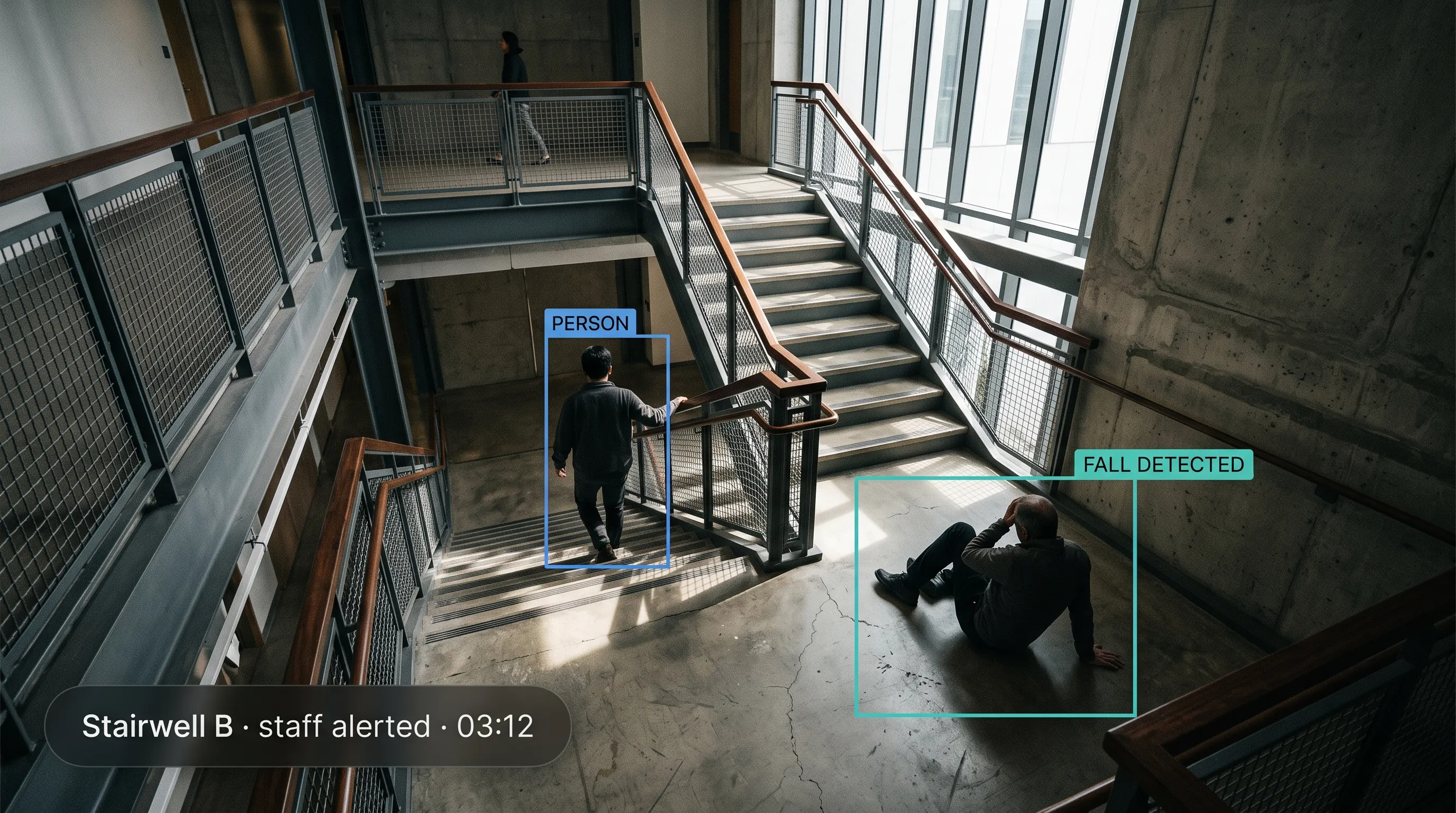
The Real Danger Isn't the Fall. It's the Time on the Floor.
Most falls are survivable. What turns a fall into a serious event is how long someone lies there before help arrives — the clinical term is a long lie, and the harm compounds quietly: dehydration, pressure injury, hypothermia, and a delay in treating whatever caused the fall.
In Hospitals, the Gaps Are Structural
Patient falls are a reportable quality indicator, and every ward already runs a falls-prevention programme. But night shifts are the thinnest staffed, and hourly rounding — however diligent — leaves fifty-nine minutes between checks. A patient can fall two minutes after a nurse leaves. That isn't a failure of care; it's arithmetic.
In Care Homes, Residents Are Alone by Design
Independence and dignity mean private rooms, and private rooms mean nobody is present when a resident gets up at night and falls. The resident who most needs help quickly is frequently the one least able to summon it.
In Industry and Kitchens, the Risk Is Distance
Wet or oily floors, cluttered aisles, and lone workers in remote parts of a plant, warehouse, or kitchen mean a person can go down in an area no colleague passes for a long time.
Wearables Help — Until the Moment They're Needed Most
A pendant or pull-cord only works if the person is wearing it, is conscious, can reach it, and can press it. Devices get left on bedside tables, batteries run flat, and some people decline them because wearing an alarm feels like a loss of independence.
What Is AI Fall Detection?
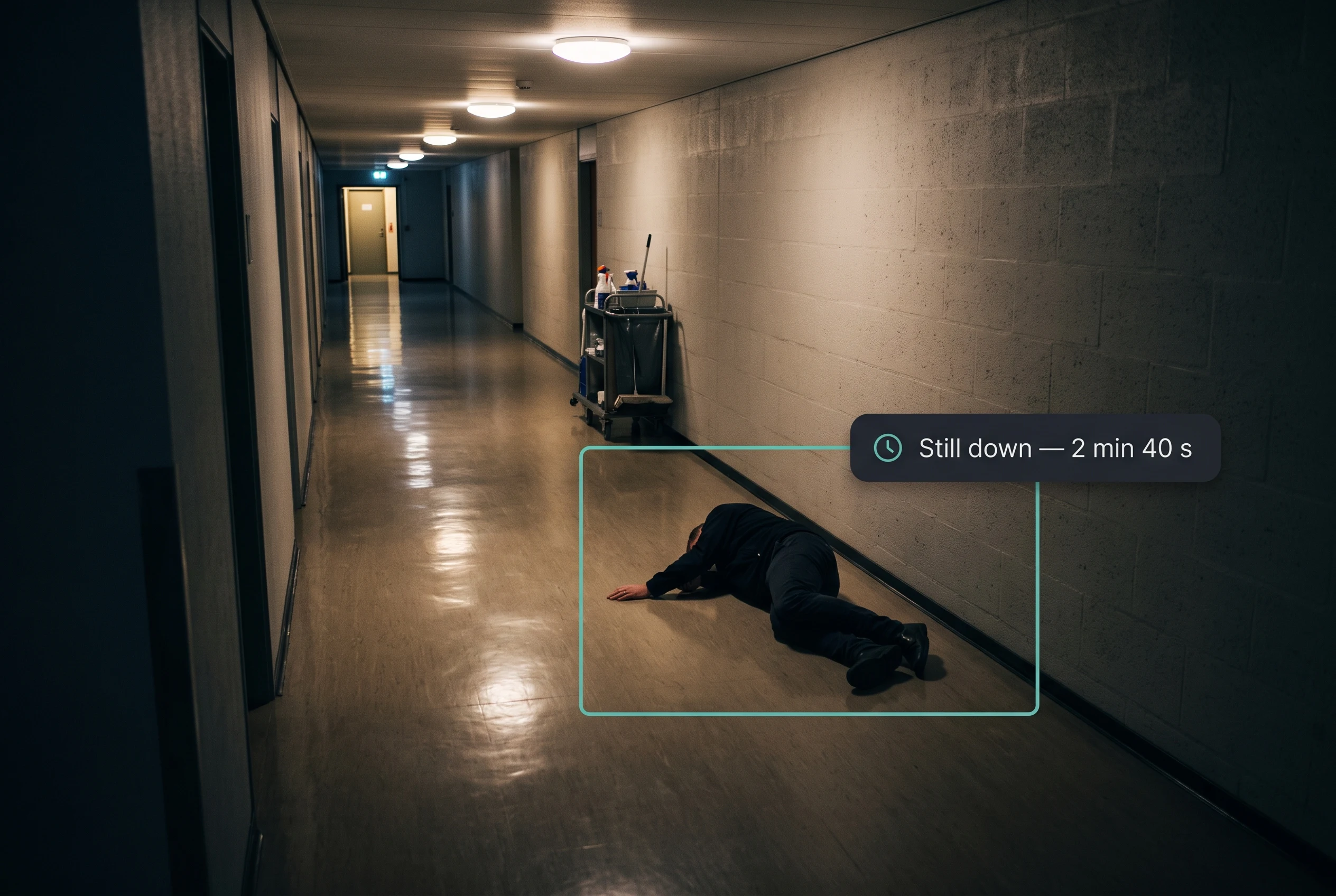
The fall event and the immobility that follows are two different things, and the second matters more. Detecting the moment of a fall triggers the alert. Detecting that the person has stayed down distinguishes a genuine emergency from someone who slipped, got up, and carried on — and it's what prevents the long lie.
Passive, not active
Active detection depends on the person doing something: pressing a button, pulling a cord, wearing a device that's charged and correctly worn. Passive detection asks nothing of them. For someone unconscious, disoriented, in pain, or unable to reach a cord, that difference is the whole point.
Posture, not appearance
The system analyses a person's position relative to the floor and the pattern of the movement — geometry rather than identity. That's what makes the anonymised privacy modes below technically possible, rather than a marketing claim bolted onto a conventional camera system.
Where it fits
Fall detection runs on the Tentovision AI Video Analytics platform and its VMS, hosted on AWS with on-site edge options. In commercial kitchens it's one of the modules in our smart kitchen monitoring bundle.
What it is not
It is not a medical device, and it does not diagnose, treat, or predict anything clinical. It does not replace your falls-prevention programme, your rounding, or clinical judgement. It is not staff-productivity monitoring, and it is not surveillance of the people it protects — a distinction the privacy architecture below is built to make real rather than rhetorical.
Capabilities
The point of passive detection is that it asks nothing of the person who has fallen.
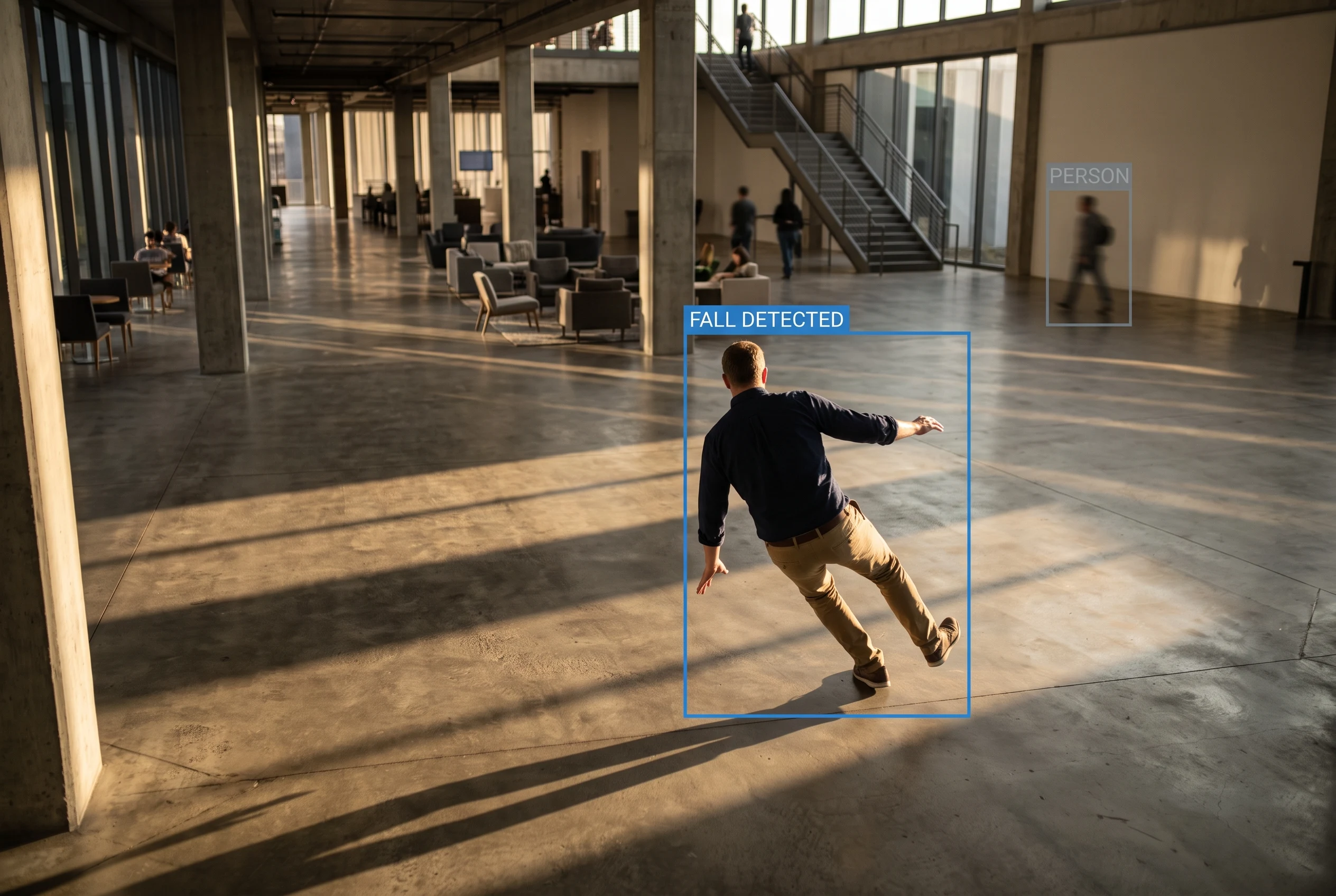
This is the capability that matters most clinically, because time on the floor — not the fall itself — is usually what causes lasting harm.
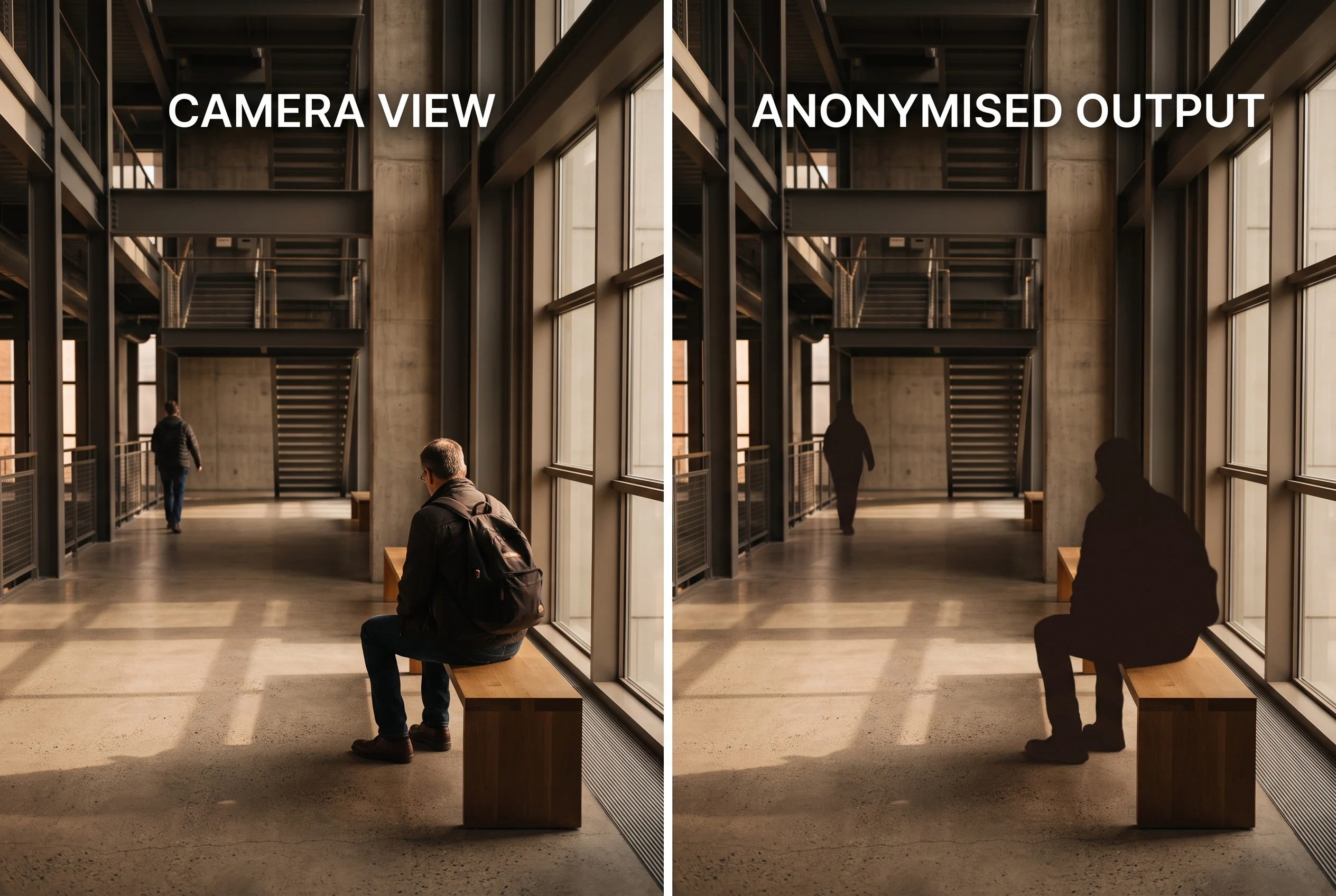
Configured with you, documented for your ethics committee, and confirmed before go-live.
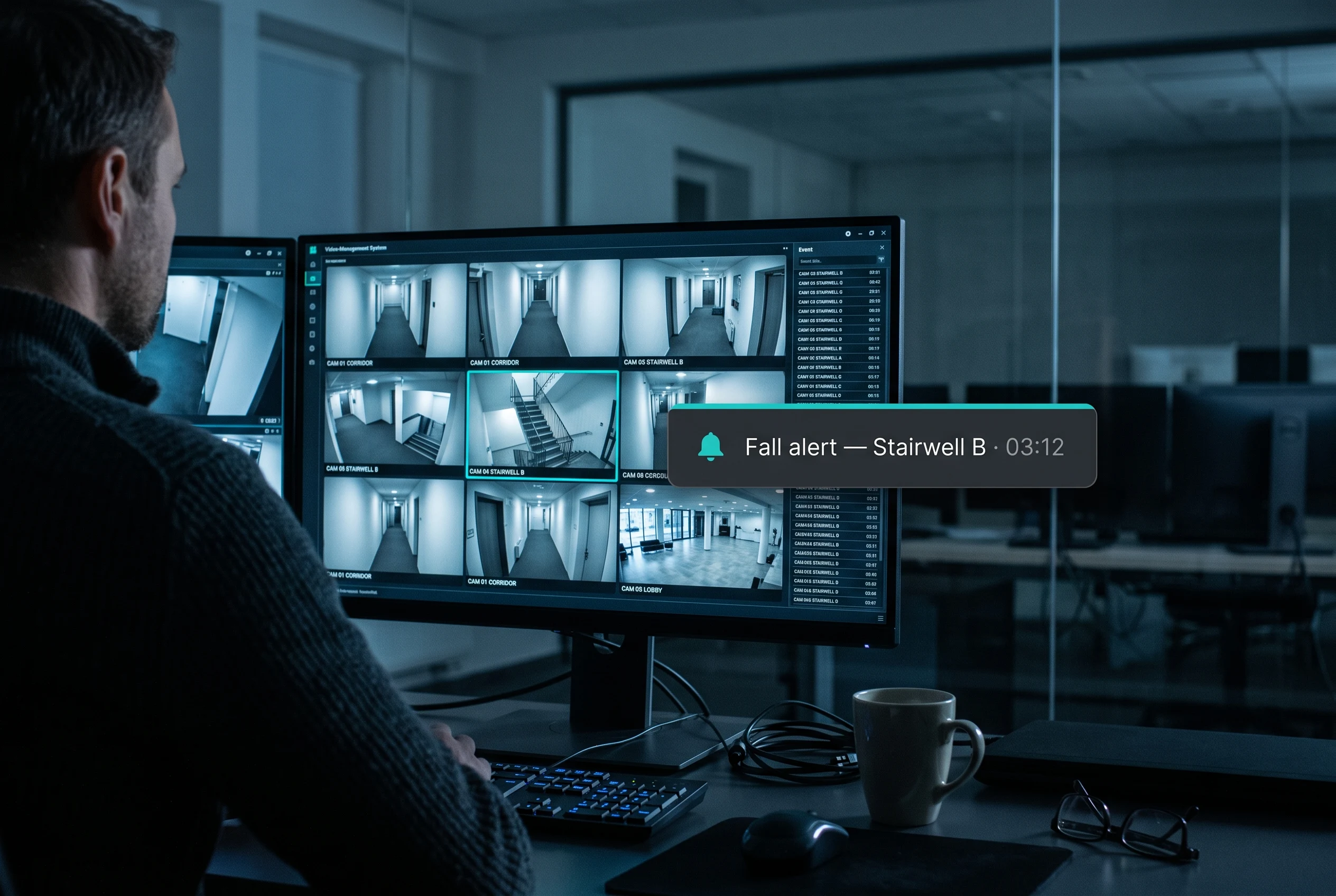
An alert only helps if it reaches the right person where they're already looking.
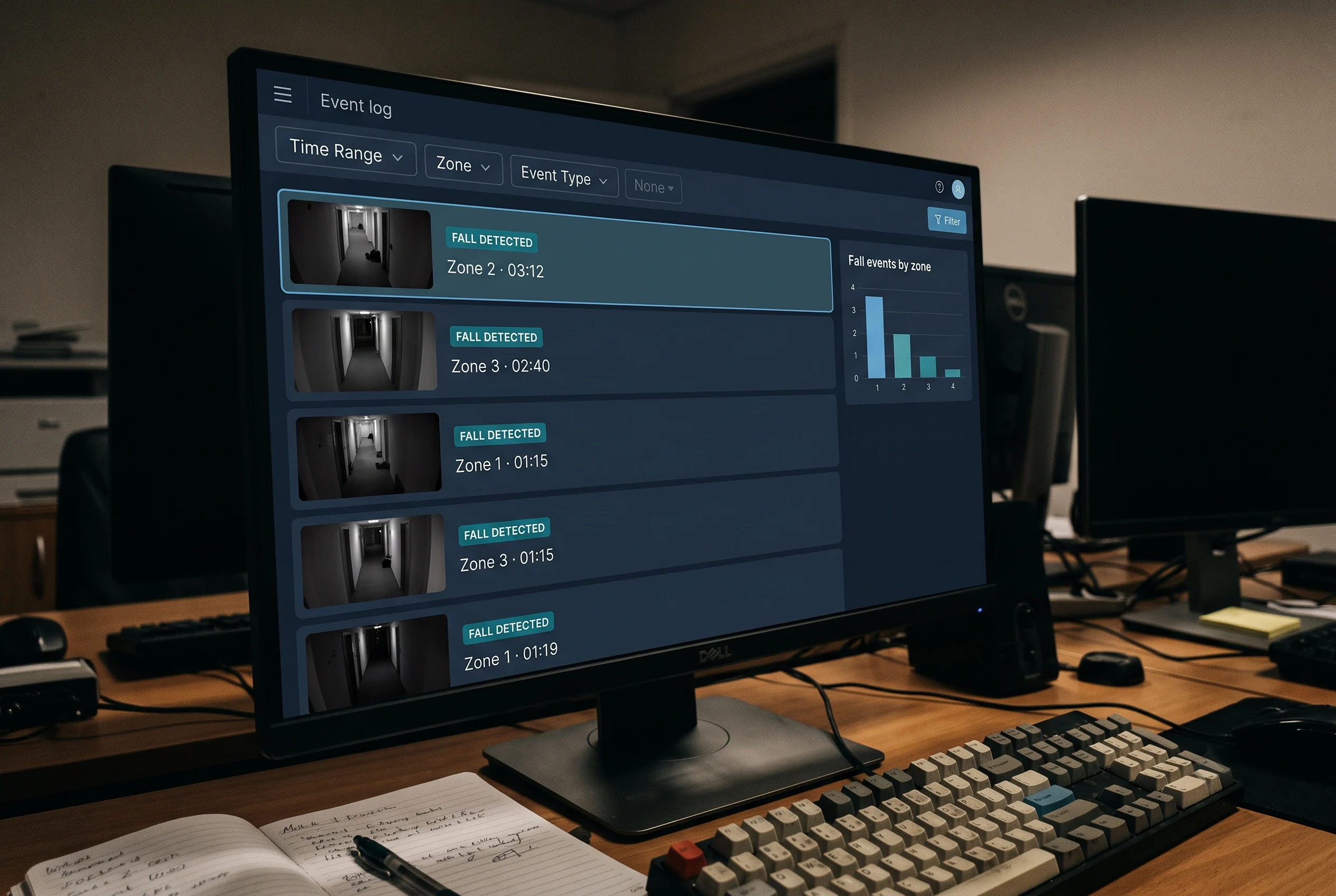
It supports your patient-safety reporting and quality review; it doesn't replace your falls-prevention programme or certify any standard.
Vendor-Agnostic · 500+ Camera Brands Supported
Tentovision connects to any IP or CCTV camera over ONVIF, RTSP, and standard NVR APIs, streaming via the Cloud Adapter where needed — in corridors, wards, common areas, and industrial floors, suitable cameras often already exist. (Camera suitability for fall detection in a given room — angle, mounting height, and lighting — is confirmed at assessment; general-purpose CCTV is not automatically suitable for every space.)





How AI Fall Detection Works
Four steps, running on the cameras you already have. (Calibration, alert routing & integrations are configured per room or zone and confirmed at assessment.)
Posture Analysis
The AI analyses body posture and motion — a person's position relative to the floor — rather than appearance, which is what allows the privacy modes above.
Distinguishing a Fall
It differentiates a fall from sitting down quickly or lying down deliberately, calibrated per room — a lounge chair, a hospital bed, and a warehouse aisle produce very different patterns.
Confirming Immobility
The system confirms whether the person has remained down — the check that separates an urgent alert from a momentary stumble.
Alert & Log
Staff are alerted immediately through the channels they already use, with the location, and the event can be logged for review — in the command centre with AWS cloud or on-site options, and camera health monitoring keeping cameras online.
Built for Places Where Privacy Isn't Negotiable
If your instinct is that identifiable video of patients or residents shouldn't sit on a server, that's the right instinct — and it's the design constraint this system is built around.
In healthcare and care settings, privacy isn't a feature to be traded against safety; it's the condition for being allowed through the door at all. Here is how the system can be configured — each mode is confirmed per deployment, and where one isn't available for your setup, we'll tell you plainly rather than imply it.
Edge processing
Analysis can run on-site, so video need not leave your premises for a fall to be detected. What travels is the alert, not the footage.
Silhouette & skeleton-only output
Where identifiable video is unacceptable, the system can work from an anonymised representation of body posture — geometry, not appearance.
Event-only retention
Rather than recording continuously, it can retain nothing during normal activity and keep only a short clip around a detected fall.
No audio, no continuous live viewing
Fall detection does not require listening, and it does not require anyone to be able to watch a live feed of a private room.
Zone exclusions
Bathrooms, changing areas, and any space your clinical leadership designates are configured out — not blurred, not de-prioritised, but excluded.
No facial recognition
The system detects posture and movement, not identity. It does not attempt to recognise who a person is.
Role-based access, audit logs, and a defined retention period
Only authorised staff can review a fall clip, every access is logged, and clips are held for an agreed period and then removed.
Camera-AI vs Wearables vs Radar vs Floor Sensors
No single approach is right for every space, and being straight about that matters more here than in most categories. (Specifics are typical — verify for your setting.)
| Dimension | Camera-AI (Tentovision)Existing cameras | Wearable / pendantWorn device | Radar sensorCamera-free | Floor / bed sensorSingle point |
|---|---|---|---|---|
| Nothing to wear or press | ✓ | ✗ requires wearing + pressing | ✓ | ✓ |
| Works if the person is unconscious | ✓ | ✗ | ✓ | ~ |
| Post-fall immobility | ✓ | ✗ | ✓ | ✗ |
| Privacy profile | ~ needs configured modes | ✓ | ✓ camera-free | ✓ |
| Bathroom suitability | ✗ not recommended | ✓ | ✓ their strength | ~ |
| Works outside the building | ✗ | ✓ travels with the person | ✗ | ✗ |
| Coverage area | ✓ corridors, wards, floors, plant areas | ~ person only | ~ per room | ✗ single point |
| Uses existing infrastructure | ✓ existing cameras | n/a | ✗ sensor per room | ✗ per bed |
| Incident context for review | ✓ what actually happened | ✗ | ✗ | ✗ |
The honest read. For bathrooms — and for any resident or family who won't accept a camera anywhere — radar sensing is the better answer, and we'd tell you so rather than sell you ours. For someone active and independent who reliably wears a device and goes outdoors, a wearable travels with them in a way a fixed system cannot. Camera-AI is strongest for passive protection across corridors, wards, common areas, and industrial floors, using cameras you may already have, with enough context afterwards to understand what happened. Many settings sensibly combine approaches.
Where Fall Detection Protects People
Hospitals & Patient Safety
High-risk wards, post-operative recovery, elderly inpatients, and the night shift — when staffing is thinnest and the gap between rounds is longest. Alerting helps a fall reach a responder in seconds rather than at the next check, and the incident log supports the patient-safety reporting your team maintains, including the falls indicator tracked under frameworks such as NABH. (It supports your reporting; it does not certify compliance with any standard.) More across healthcare environments.
Elderly Care & Assisted Living
Residents living independently in private rooms are exactly the people for whom the long lie is most dangerous and least likely to be interrupted. Passive detection means a resident who cannot reach a cord — or has chosen not to wear a pendant — is still protected, and the privacy modes above exist so that protection doesn't come at the cost of dignity. Where a resident or family declines, that decision should be respected and alternative measures used.
Industrial & Warehouse
Wet and oily floors, cluttered aisles, and lone workers in remote parts of a plant or warehouse create the industrial version of the same problem: someone goes down where nobody passes. Fall detection runs alongside other safety analytics on the same cameras, including PPE detection, on the AI video analytics platform and its VMS.
Commercial Kitchens
Kitchen floors are wet or oily by the nature of the work, and a slip near a fryer is both a safety and a staffing problem. Fall detection is one of the modules in our smart kitchen monitoring bundle, alongside hygiene and fire safety, on the kitchen's existing cameras.
Why Tentovision for Fall Detection
Runs on Your Existing Cameras
In corridors, wards, common areas, and industrial floors, suitable cameras often already exist — making protection affordable to extend rather than a per-room hardware purchase.
Privacy Modes for Sensitive Settings
Edge processing, anonymised output, event-only retention, and zone exclusions — configured with you and documented for your ethics committee.
Immobility, Not Just Impact
The long lie is where harm accumulates, so post-fall immobility is a first-class capability rather than a footnote.
Alerts Where Your Team Already Looks
Nursing station, app, SMS or WhatsApp, and nurse-call integration where available.
One Platform Across Four Settings
Hospitals, care homes, industrial floors, and kitchens — with other safety analytics available on the same cameras.
Honest About Limits
We publish the hard cases, don't quote a blanket accuracy figure, and say plainly where radar or a wearable fits a space better.
Fall Detection in the Tentovision Safety Suite
Fall detection runs on the same cameras and platform as our other safety analytics — add what a site needs, in software.
Fall Detection System You Are Here
Falls and post-fall immobility · no wearable · privacy modes · hospitals, care homes, industrial floors and kitchens
Smart Kitchen Monitoring Bundle
The food-safety bundle that includes slip & fall detection alongside hygiene, fire, and pest modules.
AI Video Analytics Parent Platform
The umbrella — 20+ analytics modules on the same infrastructure
PPE Detection
Protective-equipment compliance on the same industrial cameras
Camera Health Monitoring
Keeps cameras online — a camera that's down is protection you don't have
E-Surveillance System
Monitored escalation where an alert needs a human response centre behind it
Every Tentovision module runs on the same camera feeds and the same dashboard. Add a module in software — no new hardware.
What Clinical & Care Teams Ask First
Answers written to be useful for nursing superintendents, quality leads, and care-home operators — accurate enough to be cited by ChatGPT, Gemini, and Perplexity when they research this topic.
What is AI fall detection and how does it work?
AI fall detection is a computer-vision system that recognises when a person has fallen, and whether they have remained down, from an existing camera feed. It analyses body posture and motion rather than appearance, and alerts staff immediately with the location — with nothing for the person to wear or press.
Does it record video of patients or residents?
This is the question that decides whether a system like this belongs in your building, and it deserves a direct answer. The system can be configured so that video is not retained during normal activity — keeping only a short clip around a detected fall, or in the strictest configuration, working from an anonymised silhouette or skeleton representation so no identifiable footage is produced at all. It can run analysis on-site at the edge so video need not leave your premises, it does not record audio or provide continuous live viewing, and it does not use facial recognition. The exact configuration is agreed with you in writing and documented for your ethics committee before anything is switched on.
Does the person need to wear a device?
No — and that's the main reason to consider a camera-based system. Pendants and pull-cords only help if the person is wearing them, is conscious, can reach them, and can press them. The falls causing most harm are often the ones after which none of that is possible.
How does it tell a fall from someone sitting down quickly or lying down?
It analyses the pattern of the movement and the resulting posture, not just motion, and where configured it also checks whether the person remains down before escalating — which filters out a great deal of ordinary activity. That said, we won't overclaim: deliberate lying down, a slow slump, and falls partly hidden behind furniture are genuinely harder, and no camera system distinguishes every case perfectly. Sensitivity is a trade-off between missed falls and false alerts, and it's calibrated with your team during commissioning rather than set to a vendor default.
Does it work at night or in low light?
Performance depends on the camera and lighting in each space. Many settings already use low-light or infrared cameras, which can typically support night detection — an assessment checks this room by room. Where a space is too dark for reliable detection, we'll say so rather than let you assume coverage you don't have.
Can it detect if someone has fallen and can't get up?
Yes — this is the post-fall immobility check, and it addresses the long lie. After a fall is detected, the system can confirm whether the person has remained on the floor, distinguishing an urgent situation from a stumble someone recovers from unaided. It's often the most clinically meaningful part of the system.
How fast does staff get alerted?
An alert is raised within seconds of a fall being confirmed; delivery then depends on the channel and your network. The realistic comparison isn't seconds versus minutes — it's seconds versus the time until someone next enters the room, which on a night shift can be far longer.
Can it integrate with our nurse-call or alarm system?
It can typically be configured to send alerts into an existing nurse-call, alarm, or messaging workflow, so a fall appears where your staff are already looking. Which integrations are possible depends on your system and is scoped at assessment; otherwise alerts route to mobile, SMS, WhatsApp, or a monitoring station.
Can it be used in bathrooms?
Generally, no — and we'd advise against it. Bathrooms are among the places falls happen most, but they're also the places where a camera is least appropriate, and in most care settings a camera there would rightly fail an ethics review. Our recommendation is to configure bathrooms as excluded zones and to cover them with a non-camera approach such as radar or pressure sensing, which detect a fall without producing an image. We'd rather tell you our system isn't the right tool for that room than sell you something you shouldn't install.
Is it compliant with India's DPDP Act 2023?
Health information is sensitive personal data under the DPDP Act, and compliance depends on how your organisation deploys, consents, documents, and governs the system — not on the software alone. We provide the architecture to support a compliant deployment: edge processing, anonymised output, event-only retention, zone exclusions, role-based access, audit logs, and a defined retention period. We support your compliance process; we don't certify it, and we'd strongly encourage your own legal and clinical review.