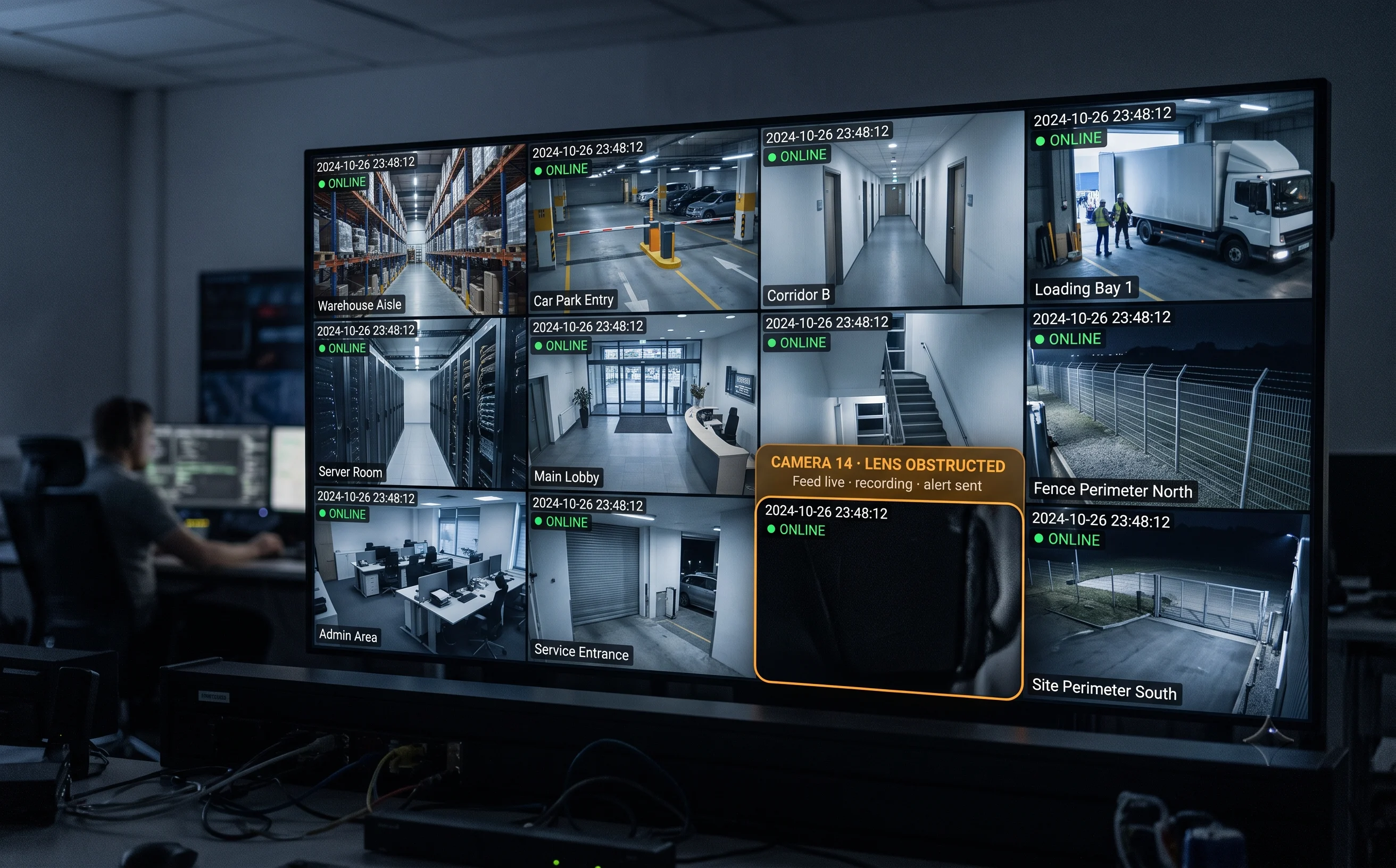
A Tampered Camera Still Passes Its Health Check
A camera that's been covered, turned, or defocused doesn't report a fault. It's still online, still recording, still green on every status dashboard — it's just not showing anything useful. That gap between "technically working" and "actually watching" is exactly where tampering hides.
A Warning Sign, Not Just an Inconvenience
Someone disabling a camera rarely does it for no reason — it's frequently the step before something else: a theft, an unauthorised entry, an act of vandalism. By the time anyone notices, whatever the camera would have caught is already over.
Nobody Watches Every Feed Continuously
On a site with dozens or hundreds of cameras, one pointed at a wall or covered with a cloth can go unnoticed for days — especially at unattended sites where footage is only ever reviewed after something has gone wrong.
Multi-Site Estates Lose Visibility Fastest
Without a central view, knowing that camera 14 at site 3 has been disabled requires someone at that specific site to notice — precisely the scenario tampering exploits.
Coverage Depends on Which Camera Is Installed Where
Many cameras include their own built-in tamper alarm, and where it works well it's genuinely useful. But it varies by brand and model — reliable on some, weak on others — so a mixed estate ends up with tamper coverage that's uneven across sites.
What Is Camera Tampering Detection?
The distinction that matters: this is a security question, not a maintenance one. A camera that has failed reports a fault. A camera that has been tampered with usually reports nothing at all — because from the system's point of view, it's working perfectly. It's simply been made useless.
Honest about what your cameras already do
Many cameras ship with a firmware-level tamper alarm, and where it works well, that's genuinely useful — we're not going to pretend otherwise. The gap this fills is consistency: firmware tamper detection varies by manufacturer and model, so a mixed-brand estate ends up with coverage that's solid on some cameras and weak on others, with no single place to see it all.
Where it fits
It runs on the Tentovision AI Video Analytics platform and its video management software, hosted on AWS with on-premise options — alongside camera health monitoring, so technical failure and deliberate interference show up in the same place.
Tampering vs Camera Health — Different Questions
A technical question — gone offline, run out of storage, stopped recording. Covered by camera health monitoring.
A security question. A covered lens is technically healthy — feed live, recording running — and completely useless. That gap is what this catches.
The two are complementary, not the same capability — a site genuinely needs both: one tells you the camera broke, the other tells you someone made it useless on purpose.
Often a Precursor to Something Else
A disabled camera is frequently the opening move, not the whole event. Where tampering detection catches the interference itself, intrusion detection covers what a compromised camera's blind spot might otherwise miss, and loitering detection catches someone lingering near a camera before they reach it — the three are naturally paired on the same site.
Four Ways a Camera Stops Doing Its Job
Each tamper type below is detected from the camera's own existing feed — no additional hardware at the camera. (Availability and sensitivity are confirmed during an assessment.)
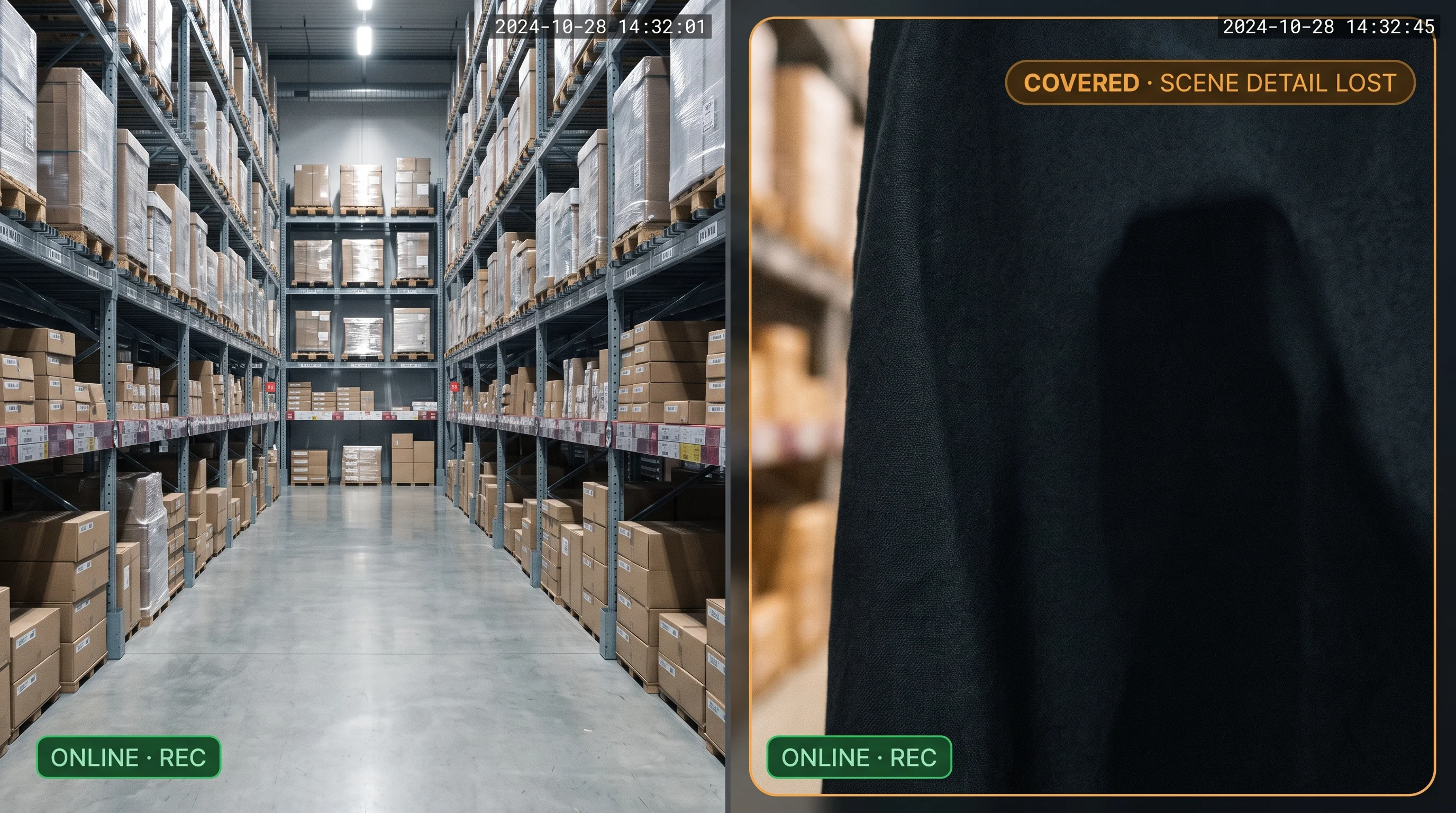
Covered or Blocked Detection
Identifies when a lens is obstructed — a cloth, spray, a hand, an object placed directly in front of the camera — by detecting the sudden, sustained loss of scene detail that occurs when a working camera stops seeing anything at all.
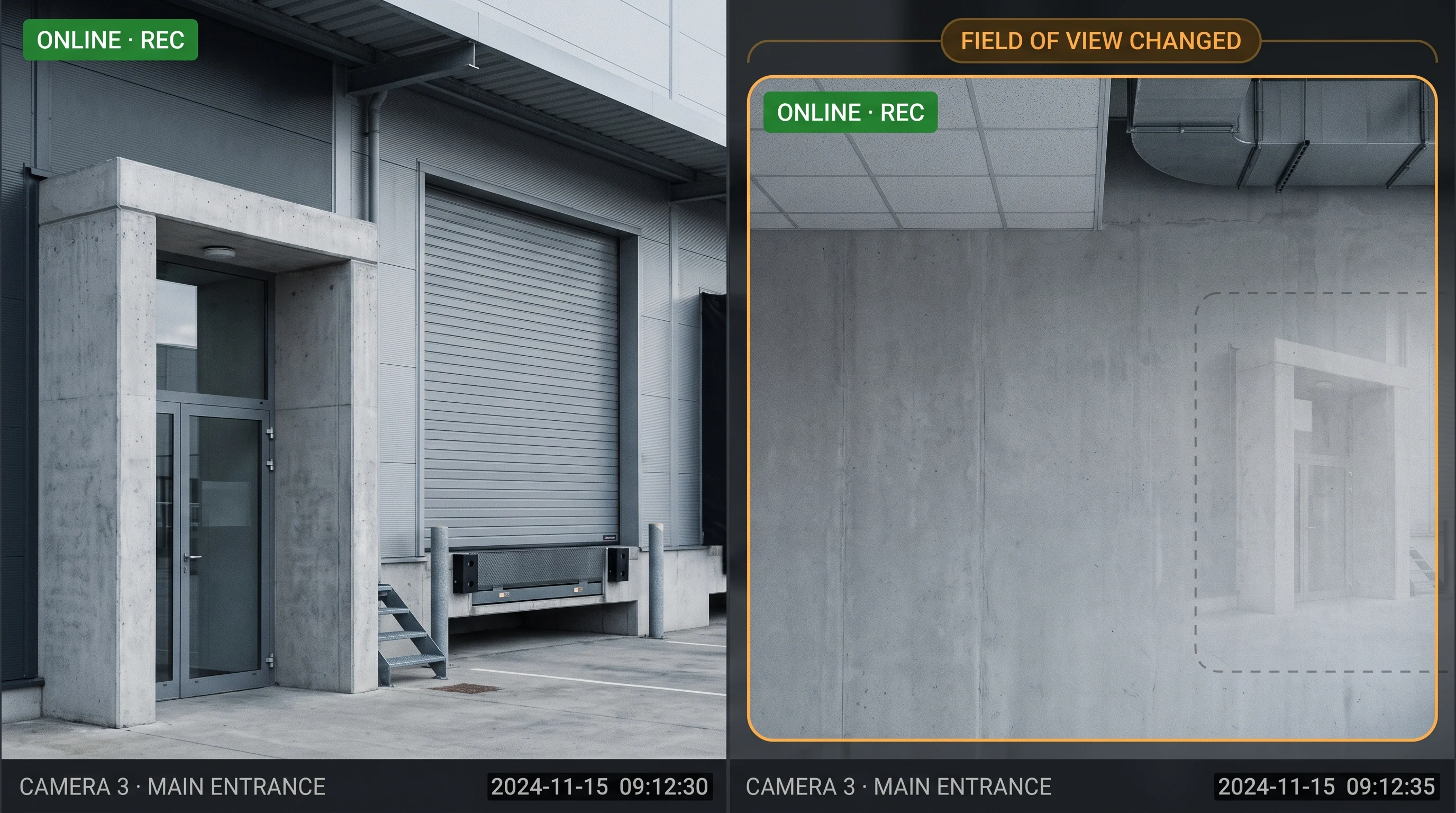
Moved or Redirected Detection
Identifies when a camera's field of view has changed significantly from what it's meant to be watching — turned toward a wall, angled away from an entrance, or otherwise redirected from its intended coverage area.
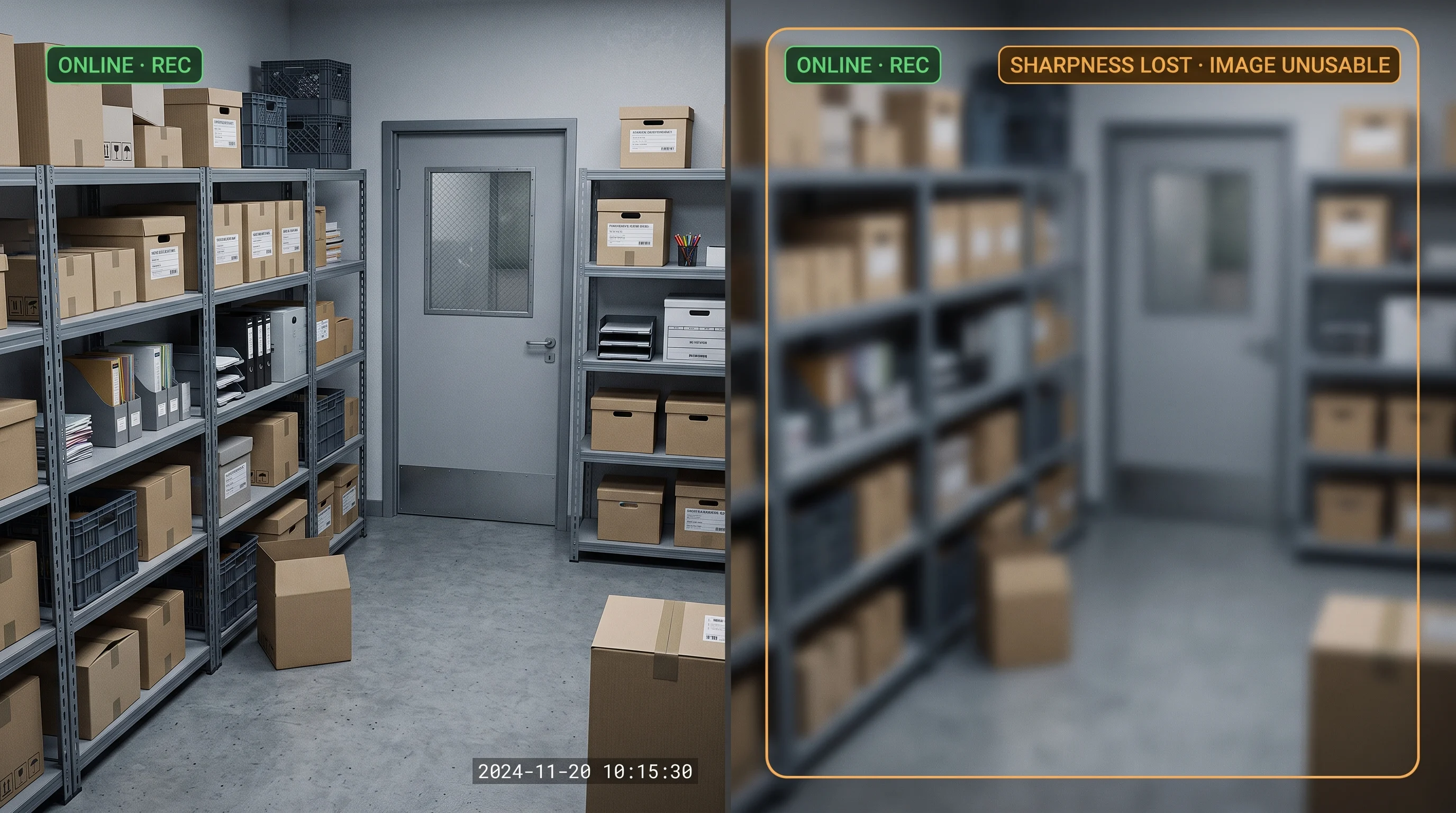
Defocus Detection
Identifies a sustained loss of image sharpness — a camera that's been deliberately or accidentally knocked out of focus stops producing usable footage even though it's still recording something.
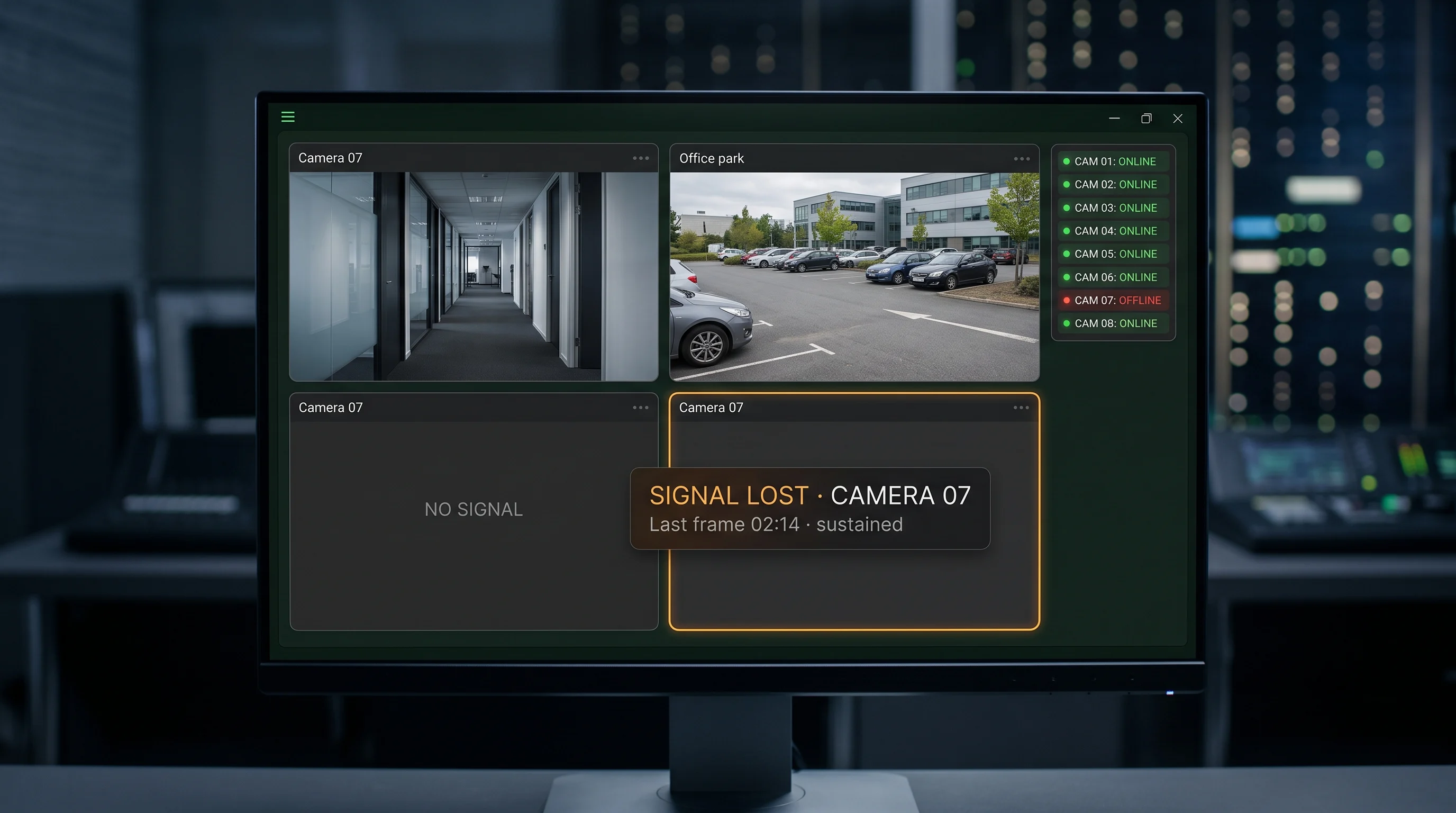
Signal Loss Detection
Identifies when a camera's feed is interrupted or cut entirely, distinguishing a deliberately severed connection from an ordinary network blip.
On limits, plainly: detection depends on the camera's own image quality and the clarity of the change — a subtle partial obstruction is harder to catch reliably than a fully covered lens, and very gradual redirection is harder to flag than a sudden one. We don't publish a blanket accuracy figure; reliability is validated on your own cameras during assessment.
Consistent Tamper Detection Across a Mixed Estate
Firmware tamper alarms vary by manufacturer and model. Tentovision connects to any IP or CCTV camera over ONVIF, RTSP, and standard NVR APIs — streaming via the Cloud Adapter where needed — so tamper coverage is the same on every camera regardless of who made it.





How It Works
Six steps, on the cameras you already have. (Sensitivity and alert routing are configured per site and confirmed during the assessment.)
Establish the Expected Scene
Each camera's normal view becomes the baseline — what it's supposed to be seeing, day to day.
Continuously Compare
The AI compares the live feed against that baseline, watching for a sudden loss of scene detail, a significant change in framing, a loss of sharpness, or an interrupted feed.
Distinguish Real Tampering
Genuine tampering is told apart from routine scene dynamics — a passing shadow, a lighting change, a headlight sweep — by looking at how the image changed, not simply that it changed at all.
Confirm It Isn't Transient
A minimum duration is typically required before an alert fires, so a moment of lens cleaning or someone briefly stepping in front of a camera doesn't trigger a false alert the way sustained interference does.
Alert With Evidence
Once confirmed, an alert can be configured to reach your security team with a timestamped snapshot, so the situation can be assessed immediately rather than at the next review.
Log It Centrally
Every confirmed tamper event is recorded centrally on AWS cloud or on-premise — across every site and every camera brand in your estate.
Where It Matters Most
Anywhere a camera going quietly blind would matter — and nobody would notice for a while.
Retail Back-of-House
Stockrooms and staff areas where a disabled camera can precede internal shrinkage — a pattern relevant across retail environments.
ATM Vestibules & Bank Premises
Locations in banking and financial services where a compromised camera is an immediate security concern rather than an IT ticket.
Warehouses & Logistics Sites
Large multi-camera estates across warehousing and manufacturing, where one disabled camera among hundreds can go unnoticed for a long time.
Unattended & Remote Sites
Locations without continuous on-site staff — including critical infrastructure — where footage is reviewed only after the fact and verified continuous coverage is a baseline expectation.
Multi-Site Security Operations
Estates running several locations and usually several camera brands, where central visibility matters more than any single site's setup — including education campuses and mixed commercial portfolios.
High-Value & Restricted Areas
Cash rooms, server rooms, secure stores and restricted zones, where a camera being disabled is itself the event worth responding to immediately.
Why Tentovision for Tampering Detection
Works Across Every Camera Brand
Rather than relying on each camera's own built-in tamper feature, detection runs the same way regardless of manufacturer — so a mixed-brand estate gets consistent coverage instead of coverage that varies camera by camera.
Centrally Managed Across Sites
One view of tamper events across your whole estate, not a separate check per location — which is exactly the gap a multi-site operation feels first.
Paired With Camera Health on One Platform
The same platform that runs camera health monitoring also runs this — so technical failure and deliberate interference show up in one place, answered by the team who owns each.
Honest About What Already Exists
Many cameras already have a built-in tamper alarm, and where it works well, that's useful. The value here is consistency across brands and central visibility — not a claim that your existing cameras have no protection.
India-based engineering and support, with detection validated on your own cameras before rollout.
Tampering Detection in the Tentovision Suite
A camera that's been disabled is one signal. What broke, what happened next, and who lingered nearby are others — on the same cameras.
Camera Tampering Detection You Are Here
Covered · moved · defocused · signal loss — deliberate interference, any camera brand, centrally alerted
Camera Health Monitoring The Other Half
"Did the camera fail?" — technical faults, offline feeds, storage. This page answers "did someone disable it?" A site wants both.
Video Intrusion Detection
Covers what a compromised camera's blind spot might otherwise miss
Loitering Detection
Catches someone lingering near a camera before they ever reach it
AI Video Analytics Parent Platform
The umbrella — 20+ analytics modules on the same infrastructure
Cloud VMS
Where tamper events are logged centrally across every site
Every Tentovision module runs on the same camera feeds and the same dashboard. Add a module in software — no new hardware.
What Security Teams Ask First
How is this different from camera health monitoring?
Camera health monitoring answers whether a camera has technically failed. Tampering detection answers whether someone has deliberately disabled a camera that's otherwise working fine. A covered lens is technically healthy — the feed is live, the recording is running — and completely useless. The two are complementary rather than the same thing.
What kinds of tampering can it detect?
Currently: a camera's view being covered or blocked, moved or redirected away from its intended area, knocked out of focus, or having its feed lost or interrupted. Each is a different way a camera stops doing its job while potentially still appearing "online" to a casual check.
My cameras already have built-in tamper detection — why do I need this?
Many cameras include a firmware-level tamper alarm, and where it works well, that's useful. The gap is mixed-brand estates: firmware tamper detection varies by manufacturer, so a multi-site estate ends up with coverage that's reliable on some cameras and weak on others. This runs the same way across brands, centrally, so coverage doesn't depend on which camera happens to be installed where.
How does it avoid false alarms from lighting changes or someone briefly blocking the view?
By looking at how the image changed, not just that it changed — a passing shadow or a lighting shift reads differently to the system than a lens actually being covered. A minimum duration is typically also required before an alert fires, so a brief obstruction or a moment of lens cleaning doesn't trigger a false alert the way sustained interference does.
Does it work with cameras of any brand?
Yes — that's the point of running this centrally rather than relying on each camera's own firmware. It works across the camera brands in your estate rather than requiring a specific manufacturer, so a mixed fleet gets consistent tamper alerting instead of coverage that varies camera by camera.
Will it alert me immediately, or only when I check a report?
Alerts can typically be configured to reach your security team in real time, with a timestamped snapshot, rather than waiting to be discovered in a periodic review. Exact routing — app, dashboard, or another channel — is confirmed for your setup.