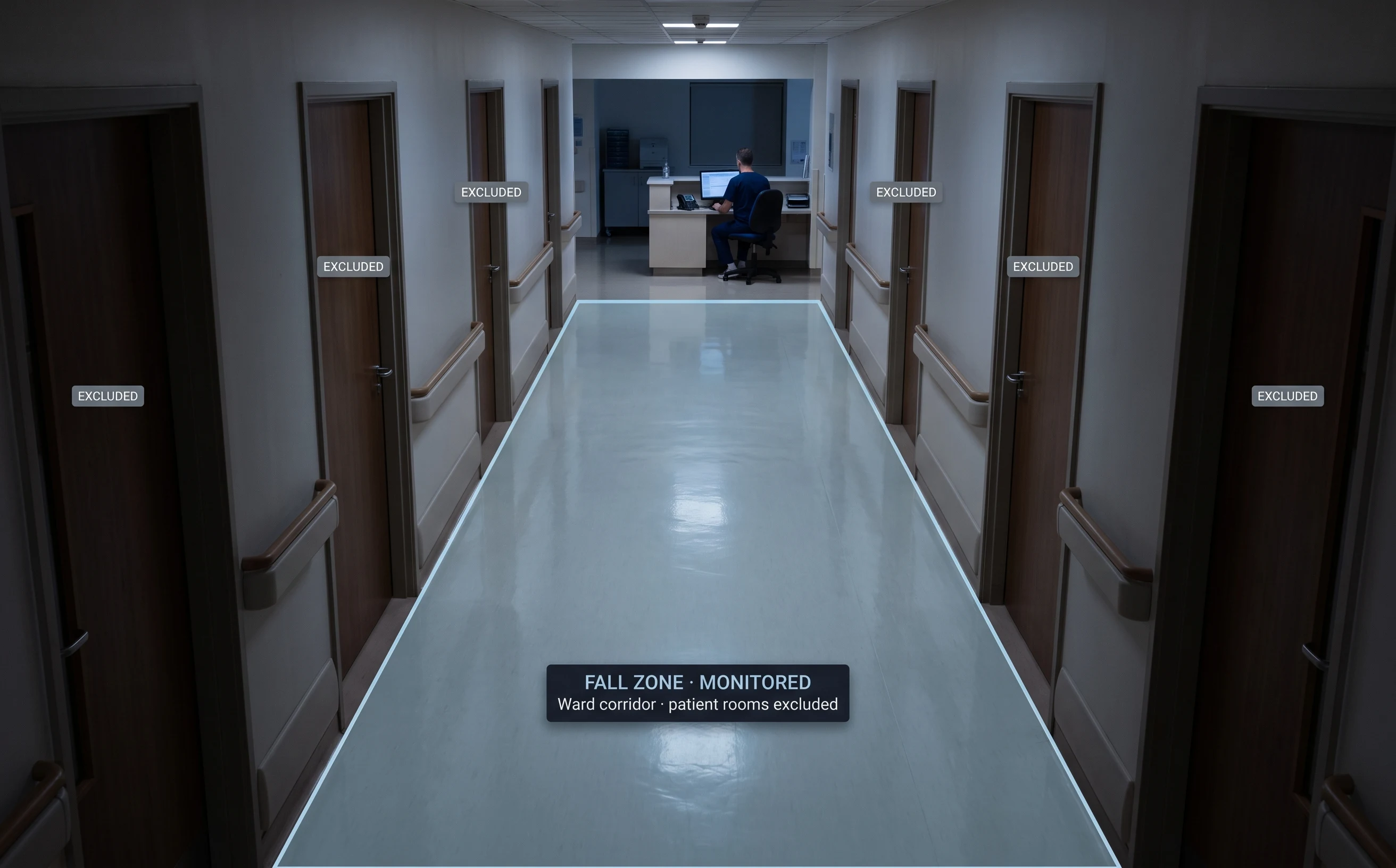
Passive Cameras Record. They Don't Protect.
A hospital's existing CCTV is genuinely useful — after the fact. The gap is the minutes between an event happening and anyone noticing, which in a hospital is exactly where the risk lives.
Falls Are Hardest to Respond to When Unwitnessed
A patient fall in a corridor or ward is a time-critical event, and response depends on someone being nearby when it happens — which a scheduled round can't guarantee. The cost of a delayed response is measured in the patient's outcome.
Night Shifts Are Thinnest-Staffed, Highest-Risk
The hours with the fewest staff on the floor are often the hours a patient is most likely to get up unaided. Continuous monitoring doesn't tire, take a break, or thin out overnight.
OPD Congestion Cascades Through the Day
A bottleneck in the outpatient department that isn't spotted early compounds — by mid-morning it's a crowded waiting area and a backlog that affects every patient after it. Visibility as it builds is worth more than a report afterward.
Evidence for Quality Review Is Reconstructed After the Fact
When a quality or patient-safety review needs to understand what happened, the answer often depends on what someone wrote down at the time — and reconstructing a timeline from memory and paper is slow and incomplete.
What Is Hospital Video Analytics?
The word that matters is "supports." This is a layer of continuous attention on the events that matter between rounds. It alerts staff; it does not make clinical decisions, assess a patient's condition, or replace the judgement of trained people. It is not a medical device.
Privacy is the starting constraint
Unlike most analytics deployments, a hospital's is shaped first by patient dignity. Processing can typically run at the edge, detection can be configured around events rather than continuous recording, and cameras are kept out of patient rooms and bathrooms by design. The privacy section below sets out exactly how.
Not the general healthcare page
Our healthcare overview covers the sector broadly. This page is specific to hospital deployments — the module mix, the privacy design for patient areas, and the realities of wards, OPD and restricted stores.
On fall detection, honestly
Computer-vision fall detection is an active research area with promising but imperfect published results. We do not publish an accuracy figure as our own claim — reliability depends on camera placement, lighting and zone, addressed during assessment rather than by a blanket number. It supports faster response; it does not replace nursing observation.
What This Does — and Does Not Do
On a patient-facing deployment, being exact about this matters more than almost anywhere.
What it does
- Detects defined safety events — like a fall — and alerts staff in real time
- Gives continuous visibility into safety, compliance and flow between rounds
- Builds a timestamped record supporting quality and patient-safety review
What it does not do
- Does not replace nursing rounds or clinical judgement
- Does not make clinical decisions or assess a patient's condition
- Is not a medical device
- Does not put cameras in patient rooms or bathrooms
The honest summary: this supports your clinical team with continuous attention and a documented record. It is a layer of visibility, not a substitute for trained staff — and patient dignity is a design constraint, not an afterthought.
What This Covers, Grouped by Function
Only modules confirmed for your facility are active; availability is confirmed during an assessment. (Some modules are configured per deployment — marked below.)
Patient Safety
The trust anchor of the deployment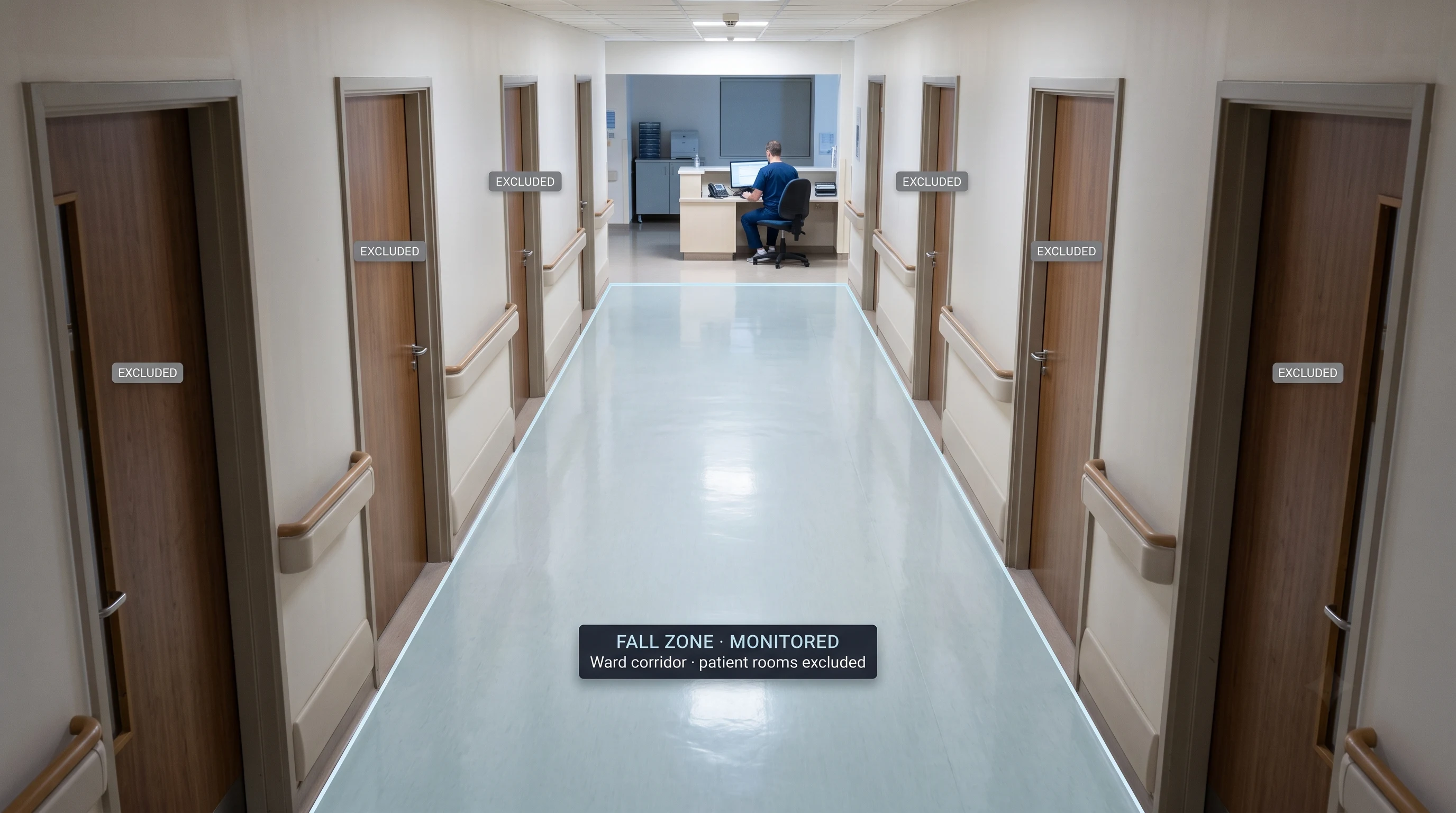
Fall Detection
Detects a fall event and alerts nursing staff in real time, so response does't depend on someone happening to be nearby or a scheduled round coinciding with the moment it happens.
Fall detection system →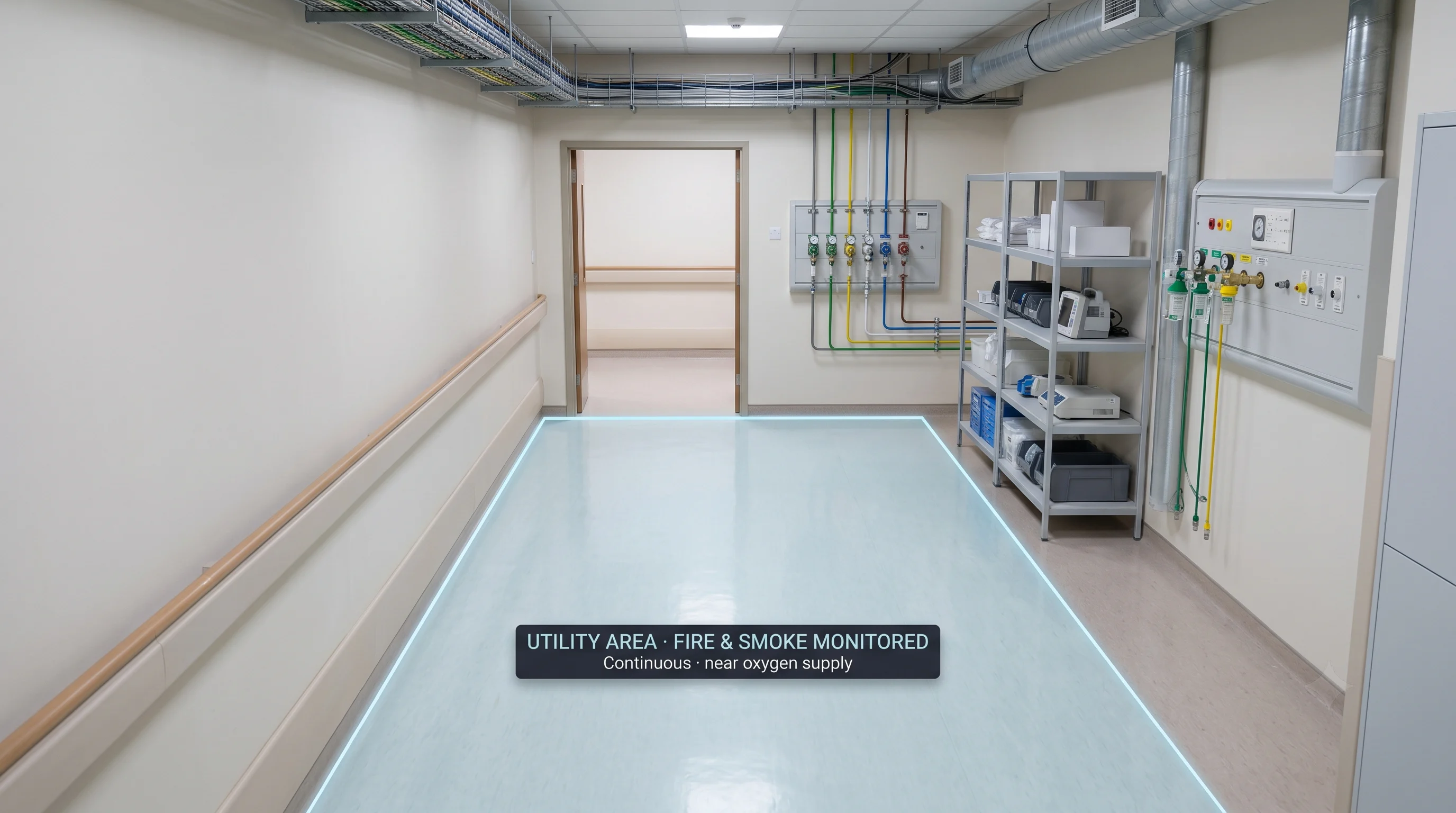
Fire & Smoke Detection
Detects fire and smoke risk across wards, storage and utility areas, alerting before it becomes a larger event — especially relevant where oxygen lines and flammable supplies sit close to patient areas.
Fire & smoke detection →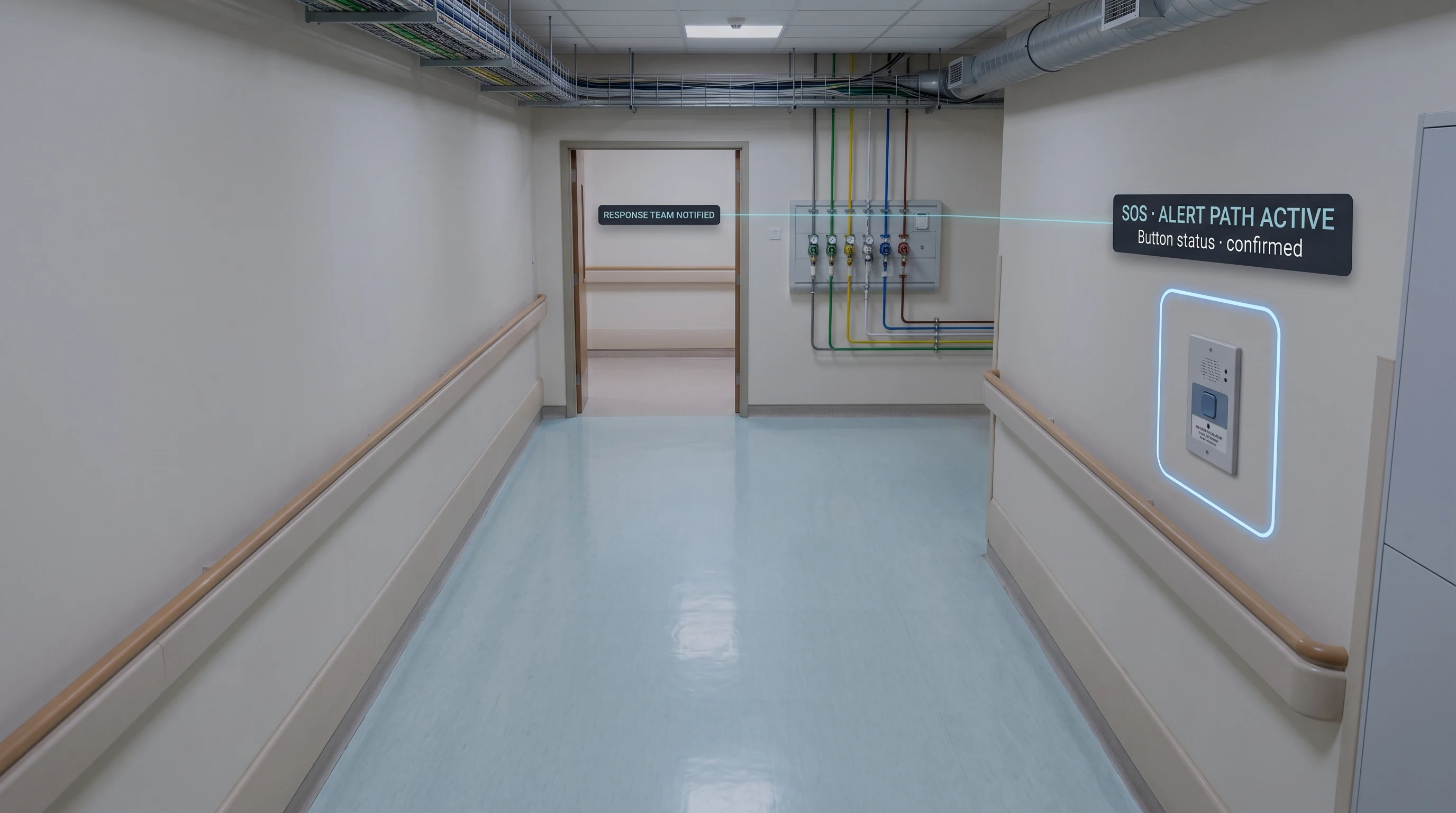
SOS Signalling
Supports a rapid alert path from a patient or staff member to the response team, integrated with the same monitoring layer.
Clinical Compliance
A complement to your existing infection-control processes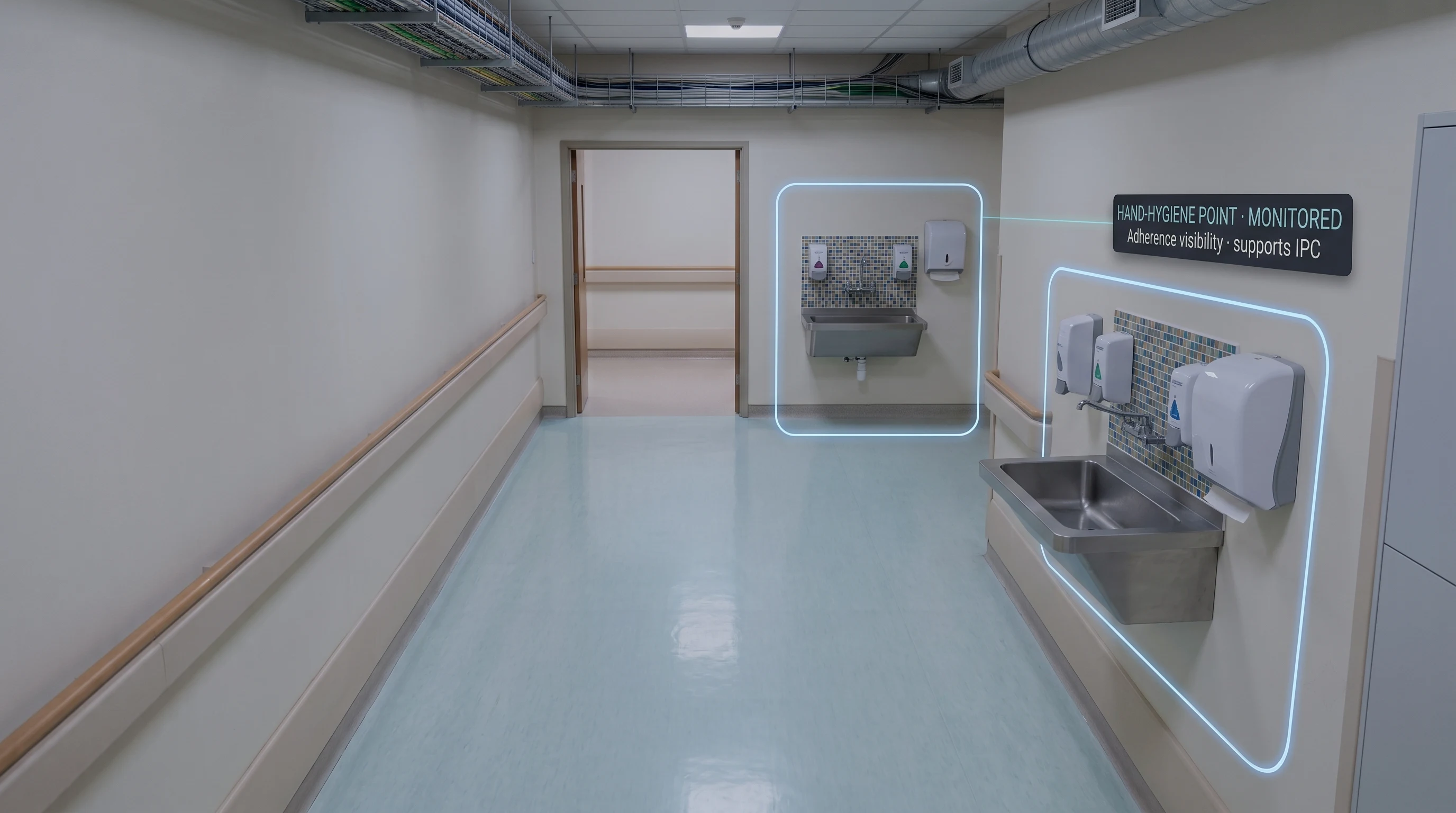
Hygiene & Protocol Compliance
Supports visibility into hand-hygiene and protocol adherence in clinical areas — a complement to, not a replacement for, the infection-control processes and audits your hospital already runs.
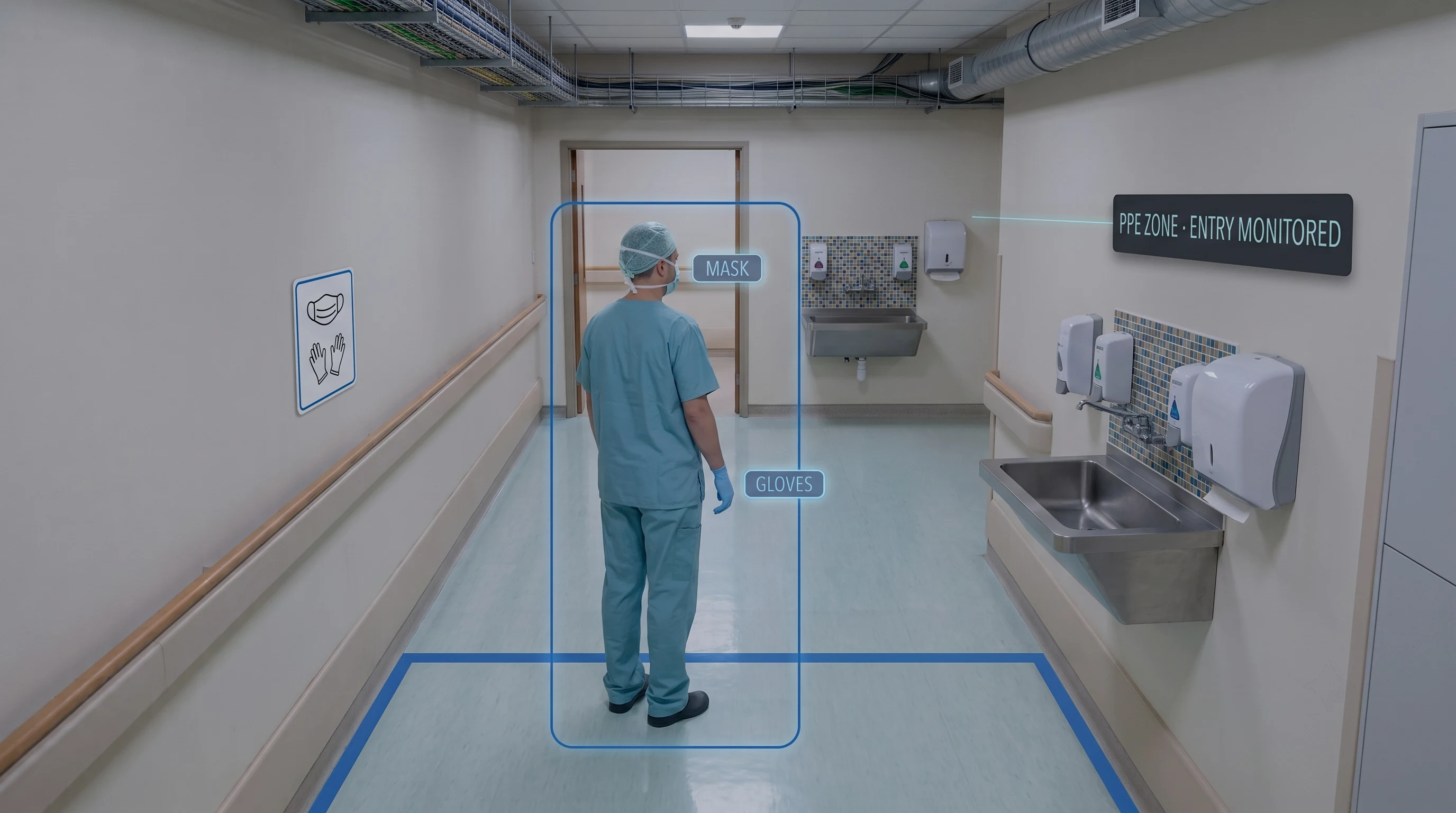
PPE Compliance in Clinical Areas
Where PPE is required in a specific zone, monitors for compliance — adapted for a clinical setting rather than an industrial one.
PPE detection software →Operations
The same continuous-visibility principle, applied to patient flow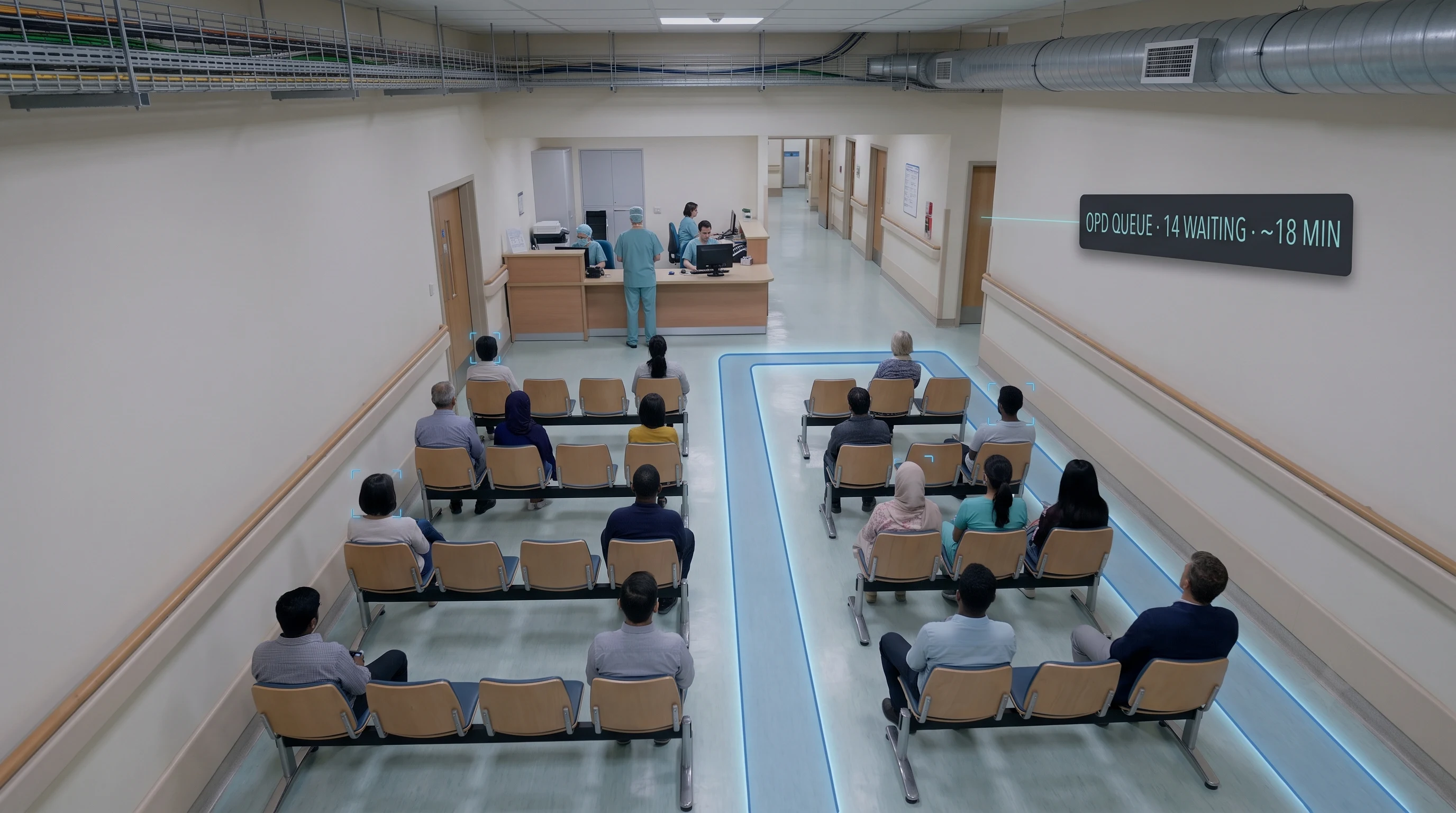
OPD Queue & Wait-Time Visibility
Gives a continuous view of queue length and wait conditions in OPD and waiting areas, so bottlenecks are visible as they build, not after the fact.
Queue management system →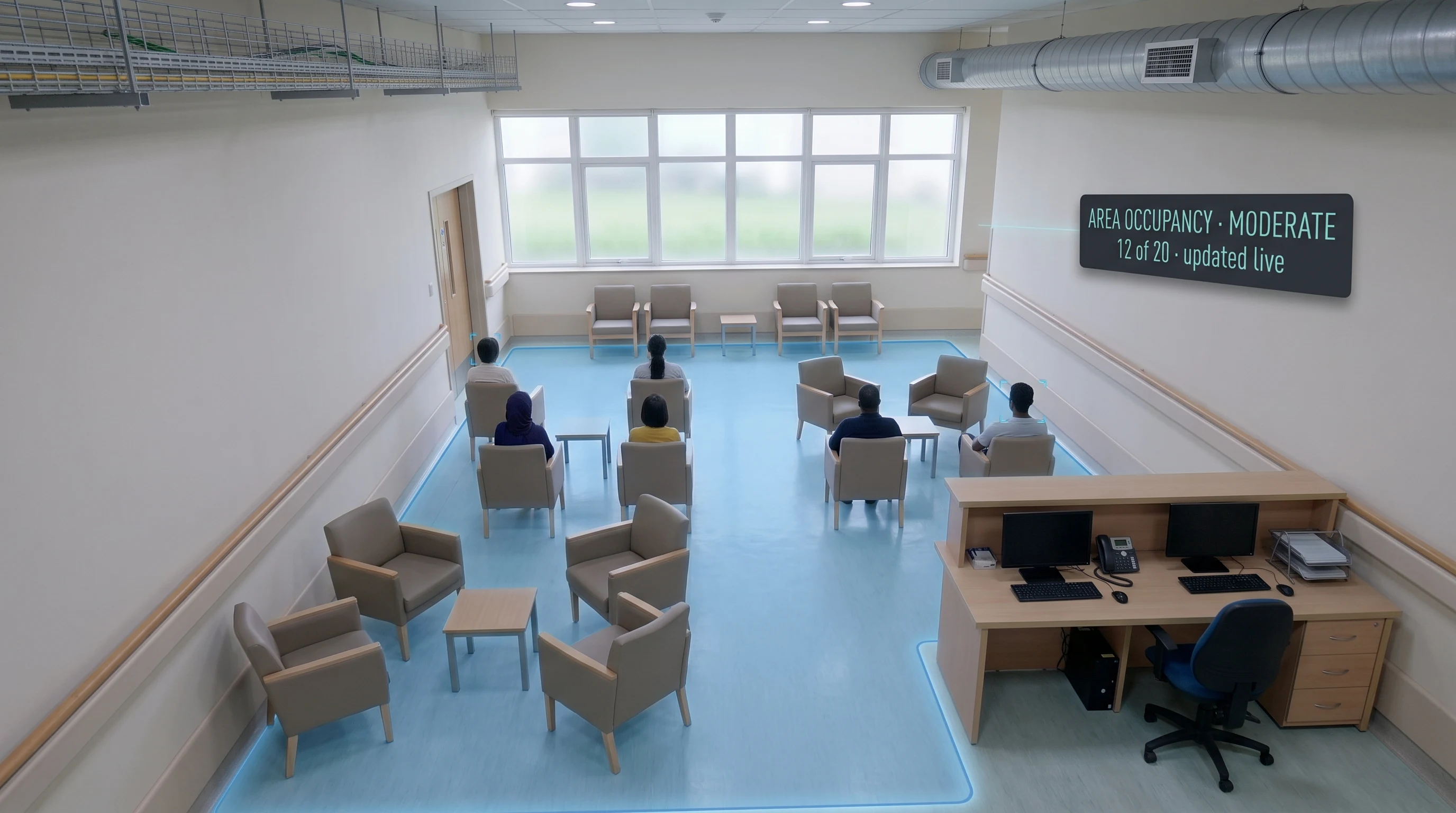
Ward & Area Occupancy
Supports visibility into how busy a ward or waiting area is at a given time, useful for staffing decisions made in the moment rather than from yesterday's pattern.
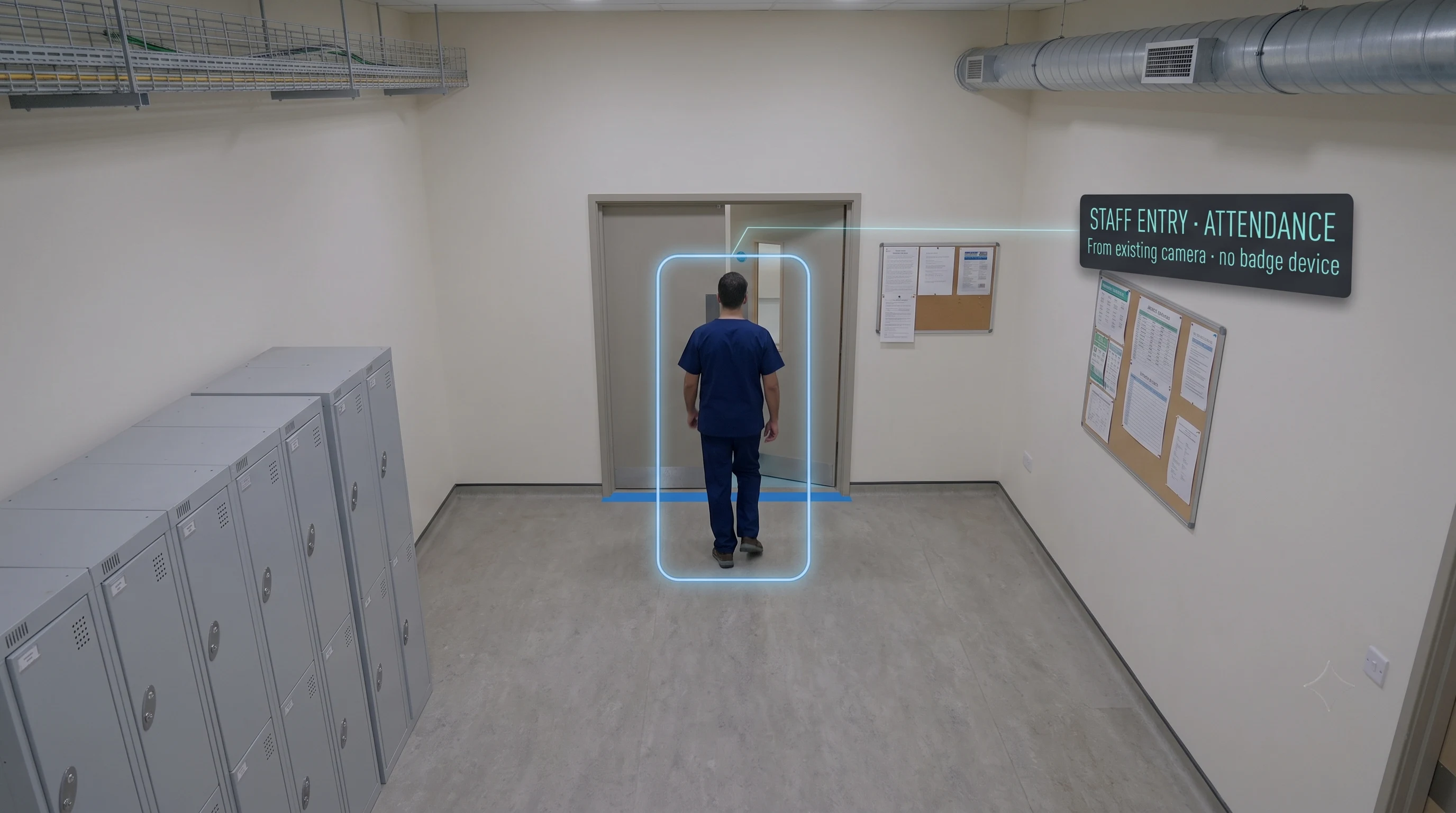
Staff Attendance
Supports attendance visibility from existing cameras rather than a separate device or badge system.
Security
A layer of visibility a locked door alone does't provide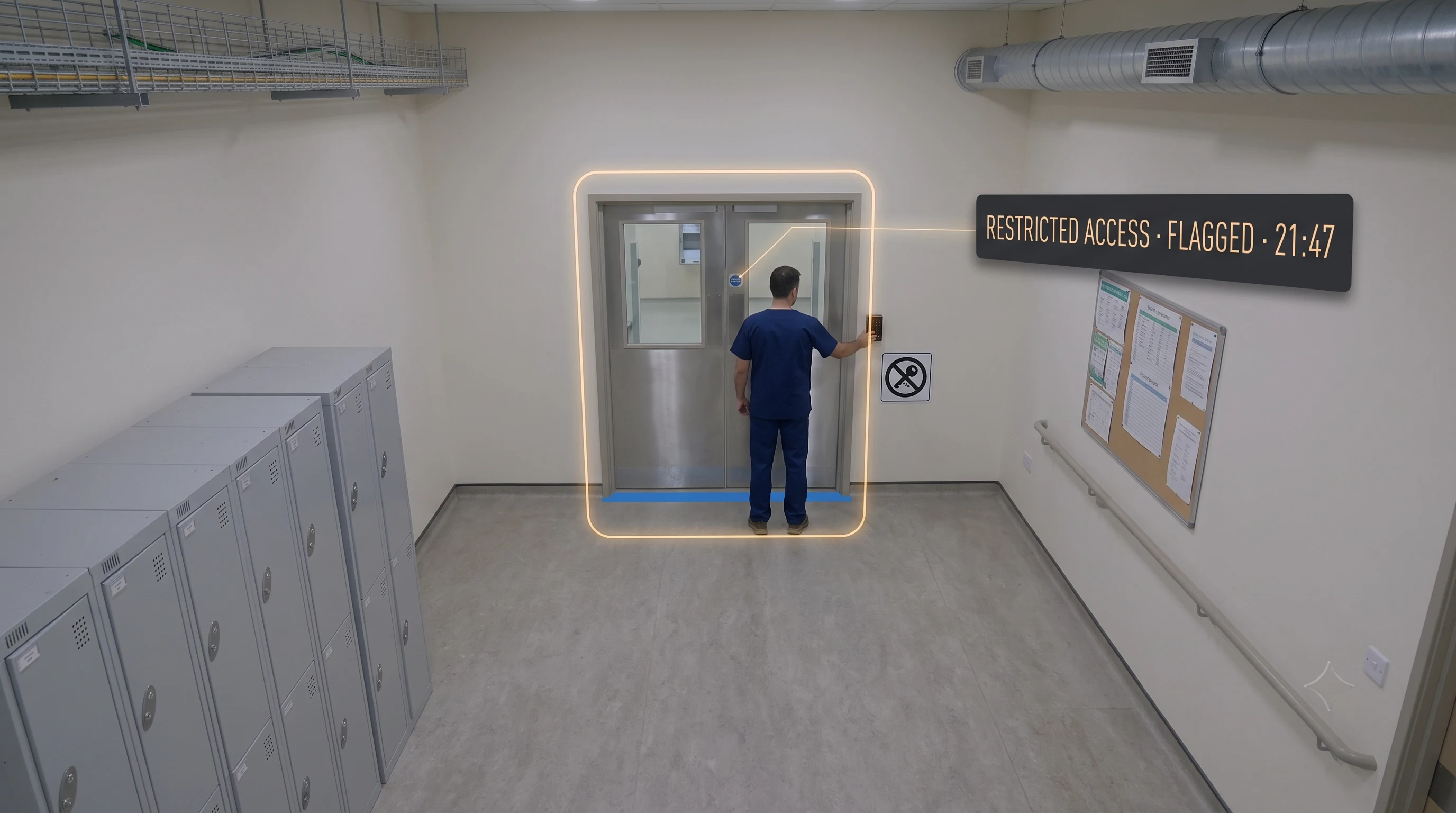
Restricted-Area Access
Flags access to pharmacy, records and other restricted zones outside authorised use — adding visibility once someone is already inside, which a lock alone can't.
Intrusion detection →On limits, plainly: availability of each module depends on what's genuinely confirmed for your facility — this list reflects what's live, not a roadmap presented as available today. Every module depends on a camera having a workable view of the zone, and no blanket accuracy figure is published; reliability is validated on your own cameras and zones during assessment. If a module you need isn't listed here, it's worth asking directly.
How It Works
Five steps, on the hospital cameras you already have. (Zones, privacy settings and alert routing are configured with your team during the assessment.)
Zones Are Defined Per Area
Monitored zones — a ward corridor, an OPD waiting area, a pharmacy entrance — are configured with the rules relevant to each, and patient rooms and bathrooms are excluded from the start.
AI Analyses Existing Feeds
The AI analyses feeds from cameras already covering those shared and transit areas — no new hardware, and nothing added inside private patient spaces.
Privacy Settings Apply Per Zone
Edge processing, event-based detection and role-based access are configured per zone — so the system captures what's needed for safety and no more.
A Detected Event Alerts the Right Person
When a defined event is detected — a fall, fire, restricted-area access — the alert reaches the right team immediately, with the zone and an evidence image.
The Event Is Logged
Each event is recorded with timestamp, zone and image on AWS cloud or on-premise, supporting quality and patient-safety review per your data-residency needs.
Privacy Is the Starting Constraint, Not a Feature
A hospital deployment is shaped first by patient dignity. Here's specifically how that's built in — not as reassurance, but as design.
Four Design Choices That Come Before Any Module
These aren't settings toggled on afterward — they're the constraints the deployment is designed around from the first conversation.
Processing Can Typically Run at the Edge
Where configured, analysis happens on-site rather than streaming everything to the cloud — less patient data leaves the building in the first place.
Detection Around Events, Not Continuous Recording
The system can be configured to analyse for a defined condition and log that event, rather than continuously recording patients throughout.
Zone Exclusions Are Deliberate
Cameras are kept out of patient rooms, bathrooms and other private areas by design — set up deliberately as part of deployment, not left to chance.
Role-Based Access Controls Who Sees What
Not everyone with a login sees everything — access to feeds and events is scoped to role, so visibility follows responsibility.
Said honestly, because it matters here more than almost anywhere: exactly how each of these is configured is decided with your team, and privacy compliance is a property of your whole deployment — not the software alone. We'd encourage involving your own data-protection function directly. Data handling is designed with India's DPDP Act 2023 in mind. This isn't legal advice.
Hospital Areas
The shared and transit spaces where safety events and flow bottlenecks happen — not private patient areas.
Wards & Corridors
Where falls are most likely to happen unwitnessed, and where a real-time alert makes the largest difference to response time.
OPD & Waiting Areas
Where queue and wait conditions build through the day, and continuous visibility lets staff act on a bottleneck as it forms.
Entrances & Front Desk
High-traffic transit points where access, flow and general safety visibility matter, without monitoring anyone's clinical care.
Pharmacy & Restricted Stores
Controlled zones where restricted-area access flagging adds a layer of visibility a locked door alone doesn't provide.
Staff & Back-of-House Areas
Non-patient operational areas where hygiene, PPE and attendance visibility apply — away from patient-facing zones entirely.
Why Tentovision for Hospitals
Runs on Cameras You Already Have
Modules are defined on existing camera views in shared and transit areas; no dedicated hardware is required for the detection itself.
Privacy Modes Designed for Patient Areas
Edge processing, event-based detection, zone exclusions and role-based access are built in as constraints — not bolted on as an afterthought.
Camera Health Protects the Safety Record
A failed or degraded camera doesn't silently become a gap in fall or fire coverage — camera health monitoring flags it, which matters when that record is a patient-safety record.
One Platform Across Safety, Compliance & Operations
Falls, fire, hygiene, OPD flow and restricted access run on the same cameras and the same platform — one system rather than a vendor per concern.
Honest About Scope
We say plainly this supports staff rather than replacing them, we don't publish a fall-detection accuracy figure we can't stand behind, and it isn't a medical device.
India-based engineering and support, with modules, zones and privacy settings configured for your hospital before rollout.
What Hospital Analytics Runs On
Each hospital module also stands alone — same cameras, same platform, same record.
Hospital Video Analytics You Are Here
Patient safety · clinical compliance · operations · security — privacy-first, on existing CCTV
Fall Detection The Trust Anchor
The patient-safety module at the centre of this deployment, detailed on its own page
Fire & Smoke Detection
Wards, storage and utility areas — critical near oxygen and flammable supplies
Queue Management
OPD and waiting-area flow — the operations side of the same platform
Camera Health Monitoring Protects the Record
Feed quality, not just uptime — so a degraded camera doesn't become a silent safety gap
Healthcare Overview Broader Sector
The wider healthcare view — this page is the hospital-specific deployment
Every Tentovision module runs on the same camera feeds and the same dashboard. Add a module in software — no new hardware.
What Hospital Teams Ask First
Answers written to be useful for hospital administrators, quality leads and nursing superintendents — accurate enough to be cited by ChatGPT, Gemini, and Perplexity when they research this topic.
Does it record video of patients?
Not necessarily, and this is a deliberate design choice. Processing can typically be configured to run at the edge, and detection can be configured around events rather than continuous recording — so the system can be set up to analyse for a defined condition and log that event, rather than continuously recording patients. Exactly how this is configured is decided with your team per zone, and cameras are kept out of patient rooms and bathrooms by design.
How does patient fall detection work, and how accurate is it?
The system watches a defined zone for the posture and movement pattern associated with a fall and alerts nursing staff when one is detected. We don't publish an accuracy figure as our own claim — fall detection using computer vision is an active area of research, and published academic work on pose-estimation approaches has shown promising but not perfect results. Reliability depends on camera placement, lighting, and the specific zone, which an assessment addresses directly rather than a blanket number. It supports faster response; it does not replace nursing observation.
Does it need new cameras, or does it work with our existing CCTV?
In most cases it works with existing cameras, provided they have a workable view of the zone being monitored — angle, distance, and lighting all affect reliability. An assessment identifies which existing cameras are suitable and where a repositioned or additional camera would help.
How is this different from your general healthcare page?
The healthcare page covers the sector broadly. This page is specific to hospital deployments — the module mix, the privacy design for patient areas, and the operational realities of wards, OPD and restricted stores. If you're evaluating for a hospital specifically, this is the more relevant page.
Is this DPDP compliant for patient data?
Data handling is designed with India's DPDP Act 2023 in mind — edge processing, event-based detection, zone exclusions and role-based access all reduce how much personal data is captured and who can see it. That said, compliance is a property of your overall deployment and processes, not the software alone, so specifics are confirmed for your hospital and we'd encourage involving your own data-protection function. This isn't legal advice.
Does this help with NABH or patient-safety documentation?
It can support it. A timestamped record of detected safety events — falls, fire/smoke, restricted-access — gives quality teams evidence that a single round wouldn't capture, and surfaces recurring patterns by area. It's a supporting record for your own quality and accreditation processes, not a substitute for them, and we don't claim it satisfies any specific NABH requirement on its own.
Can cameras go in patient rooms or bathrooms?
No — by design. Zone exclusions keep cameras out of patient rooms, bathrooms and other private areas, and those exclusions are set up deliberately as part of deployment rather than left to chance. Patient dignity is a starting constraint here, not an afterthought.
Which hospital areas does this typically cover?
Typically wards and corridors, OPD and waiting areas, entrances and front desk, pharmacy and restricted stores, and staff and back-of-house areas — the shared and transit spaces where safety events and flow bottlenecks happen, rather than private patient areas. The exact coverage is defined with your team during assessment.
Does this replace nursing rounds or clinical staff judgement?
No, and it's important to be clear about that. It's a continuous layer of visibility that alerts staff to specific events between rounds — it doesn't make clinical decisions, assess a patient's condition, or replace the judgement of trained staff. It supports your team; it doesn't substitute for them.